Tablets
The Tablets screens: the tablet export, the devices, follow-up lists and external datasets.
The roles listed under Available to are the default roles. An administrator can change them on Permissions.
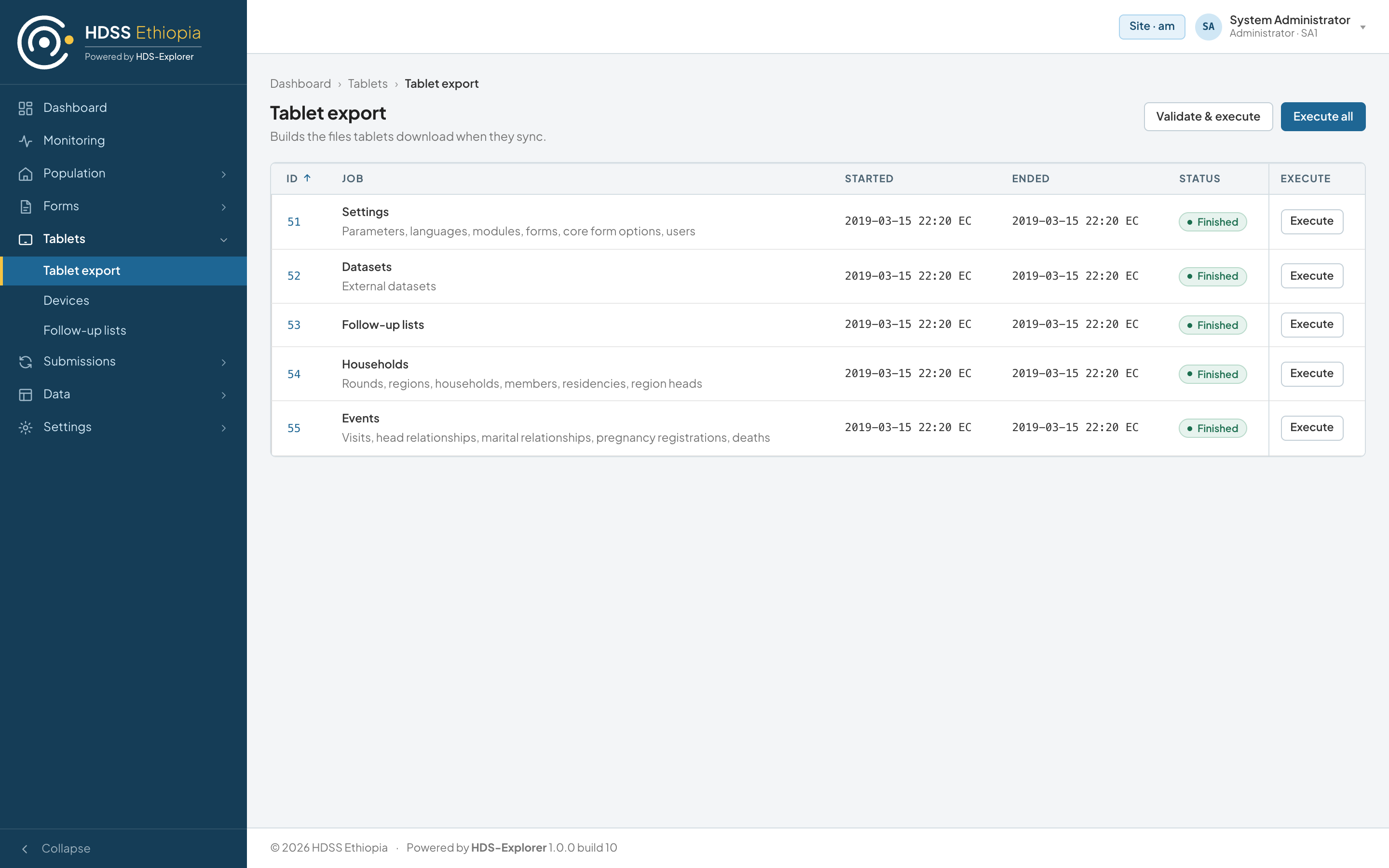
Tablet export
Builds the files the tablets download when they synchronize.
Location: Tablets › Tablet export
Available to: Administrator, Data manager
Columns
| Name | Description |
|---|---|
| ID | The job number. Click it to see the job's runs, with the files built, the records processed, the errors and how long each run took. |
| Job | What the job exports: Settings (parameters, languages, modules, forms, core form options, users), Datasets (external datasets), Follow-up lists, Households (rounds, regions, households, members, residencies, region heads) or Events (visits, head relationships, marital relationships, pregnancy registrations, deaths). |
| Started, Ended | When the last run started and ended. |
| Status | The state of the last run, for example Finished. |
| Execute | Runs that job now. |
Actions
| Action | Description |
|---|---|
| Execute | Builds the files of one job. |
| Execute all | Builds the files of every job. |
| Validate & execute | Opens Validate & execute. |
When Export after execution is on under System, the Households and Events exports start by themselves after uploaded records go into the register. Export the Settings job after you change forms, users, languages or settings.
Devices
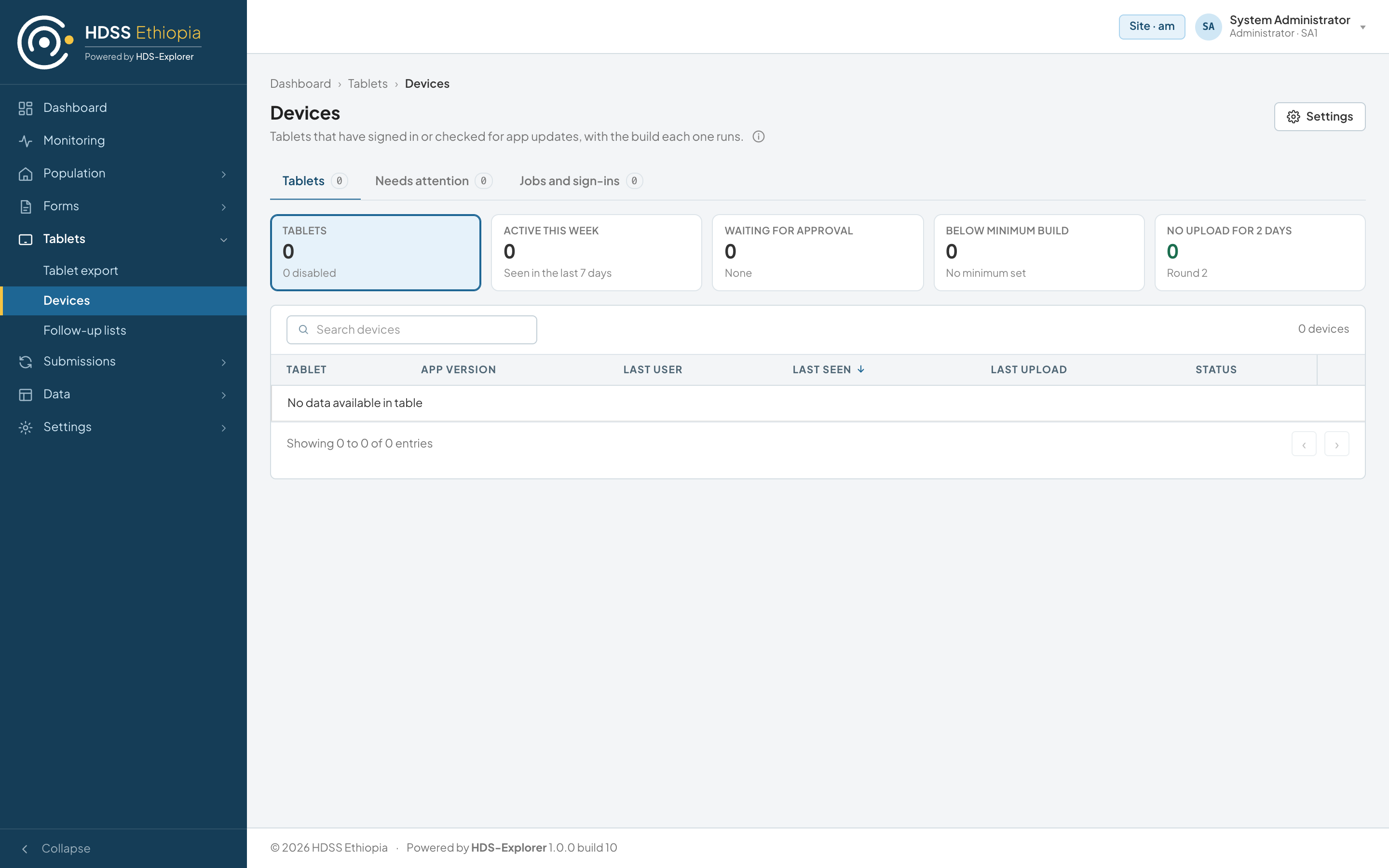
The tablets that have signed in or checked for app updates, with the app build each one runs.
Location: Tablets › Devices
Available to: Administrator, Data manager
Tabs and tiles
| Name | Description |
|---|---|
| Tablets | Every tablet. The tiles count Tablets, Active this week, Waiting for approval, Below minimum build and No upload for … days; click a tile to filter the list. |
| Needs attention | The tablets with no upload during the round, waiting for approval, or below the minimum build. |
| Jobs and sign-ins | Failed export jobs, and failed sign-ins in the last 24 hours. |
Columns
| Name | Description |
|---|---|
| Tablet | The device ID and model. |
| App version | The build of the tablet application. |
| Last user | The account that last signed in on the tablet. |
| Last seen | When the tablet last contacted the server. |
| Last upload | When the tablet last sent records. |
| Status | Enabled, Disabled, Waiting for approval or Below minimum build. |
Actions
| Action | Description |
|---|---|
| Approve | Lets a tablet that is waiting for approval synchronize. |
| Disable | Stops a tablet: the server refuses its downloads and uploads. The tablet keeps its unsent records. |
| Enable | Lets a disabled tablet synchronize again. |
| Logs | The crash reports and error logs the tablet sent with its uploads, with View and Download. |
| Settings | No upload sets the number of days without an upload that marks a tablet; Minimum tablet build sets the lowest build number that may synchronize. |
Follow-up lists
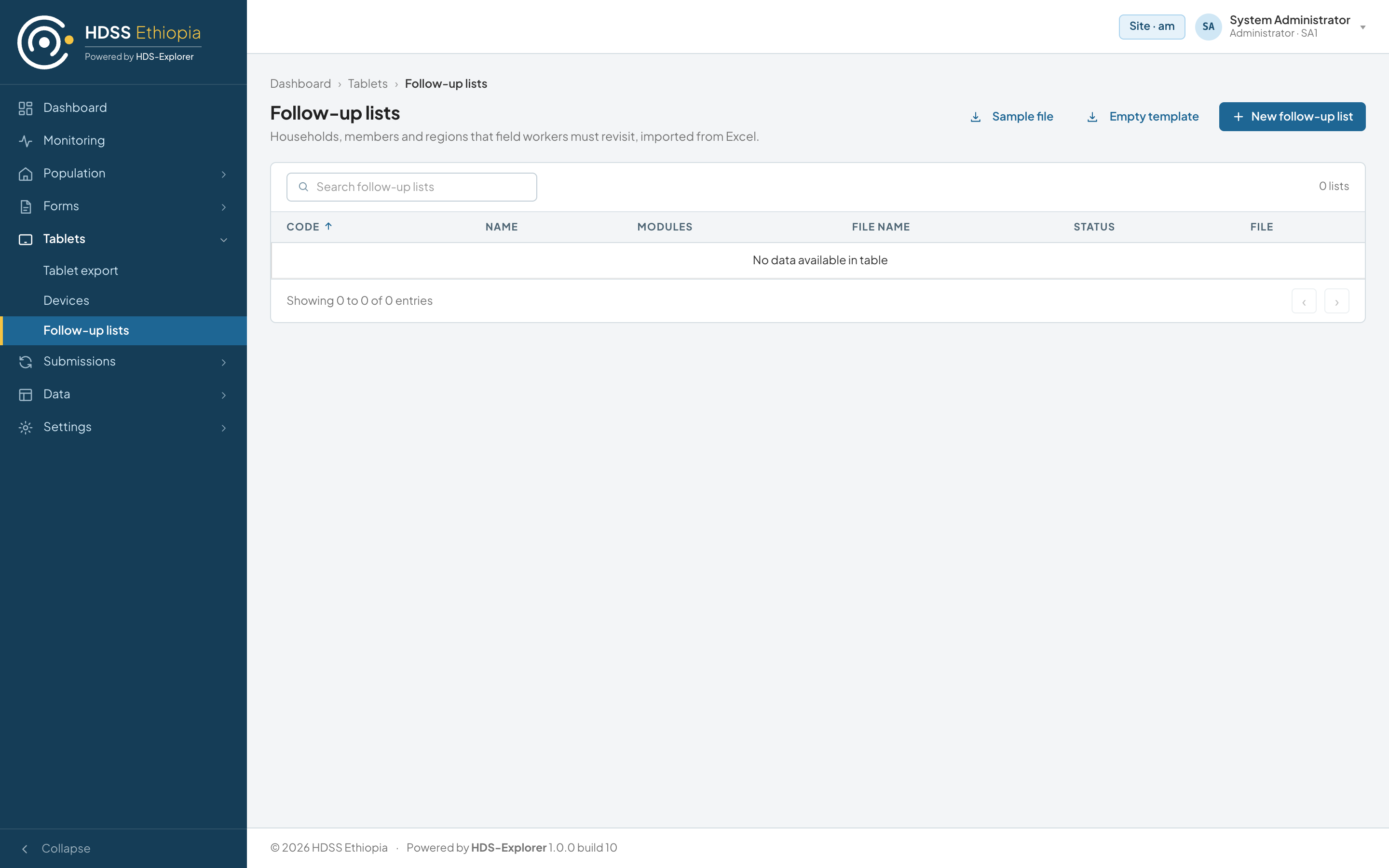
The households, individuals and areas that fieldworkers must revisit, imported from an Excel file.
Location: Tablets › Follow-up lists
Available to: Administrator, Data manager
Columns
| Name | Description |
|---|---|
| Code | The list's code. |
| Name | The list's name. |
| Modules | The study modules whose fieldworkers receive the list. |
| File name | The Excel file the list was imported from. |
| Status | Whether the list is enabled. |
| File | Downloads the list's file. |
Fields of a new list
| Name | Description |
|---|---|
| Excel file | The file to import. Upload reads it. |
| File name, Code, Name | Required. |
| Modules | Required. The study modules that receive the list. |
| Status | Enabled sends the list to the tablets. |
Actions
| Action | Description |
|---|---|
| New follow-up list | Imports a list from an Excel file. |
| Sample file | Downloads an example file. |
| Empty template | Downloads an empty file with the required columns. |
The lists reach the tablets with the Follow-up lists job of Tablet export.
External datasets
CSV datasets sent to the tablets and linked to households, individuals, areas or users, used to preload the answers of an add-on form. External datasets have no menu entry; they are set up for a form and listed at the address /dataset/index on the server.
Location: the address /dataset/index
Available to: Administrator, Data manager
Columns
| Name | Description |
|---|---|
| Name | The dataset's name, as a form's mapping refers to it. |
| Label | A description of the dataset. |
| Key column | The column that holds the ID of the record each row belongs to. |
| Linked to | The kind of record the rows belong to. |
| File name | The uploaded CSV file. |
| Status | Whether the dataset is enabled. |
| Created | When the dataset was uploaded. |
Actions
| Action | Description |
|---|---|
| New dataset | Uploads a CSV file, then says which records it belongs to. |
The datasets reach the tablets with the Datasets job of Tablet export.