Submissions
The Submissions screens: every uploaded record, the records that need review, and the run that moves records into the register.
The roles listed under Available to are the default roles. An administrator can change them on Permissions.
All submissions
Every core and add-on record uploaded from a tablet, kept as the tablet sent it, with its form version and what the server did with it.
Location: Submissions › All submissions
Available to: Administrator, Data manager
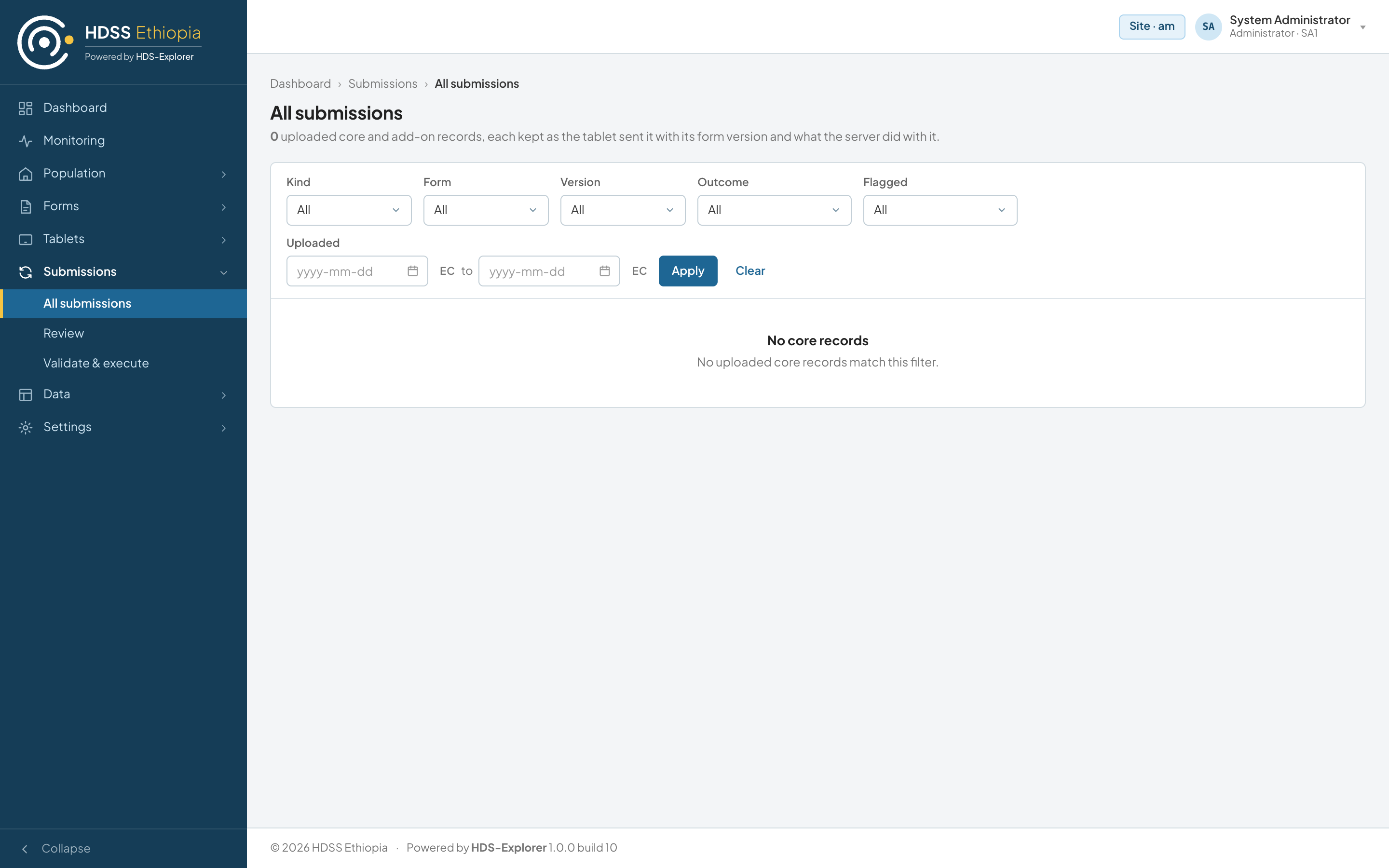
Filters
| Name | Description |
|---|---|
| Kind | All, Core or Add-on. |
| Form | One form. |
| Version | One form version, or not sent for records sent without a version. |
| Outcome | Received, Accepted, Refused, Waiting for another record, Invalidated or Returned to the collector. |
| Flagged | Any flag, or one flag: Outside their areas, Sent by another account, Too fast, Clock wrong, Late report, Age and date of birth disagree. |
| Uploaded | A range of upload dates. |
Columns
| Name | Description |
|---|---|
| Form and version | The form and the version the record was collected with. |
| Household, Member, Visit | The household, individual and visit the record names. |
| Outcome | What the server did with the record. |
| Collected by | The fieldworker who collected the record. |
| Uploaded by | The account that uploaded it. |
| Collected / uploaded | When it was collected, and when it reached the server. |
Actions
| Action | Description |
|---|---|
| Apply, Clear | Filters the list, or removes the filters. |
| Open | Shows the record as the tablet sent it. |
| Download core CSV | Downloads the listed core records. Identified (CSV) includes names, phone numbers and positions. |
Review
The uploaded records that were refused, or that wait for a data manager.
Location: Submissions › Review
Available to: Administrator, Data manager, Supervisor. A supervisor sees the rejected submissions of their own areas.
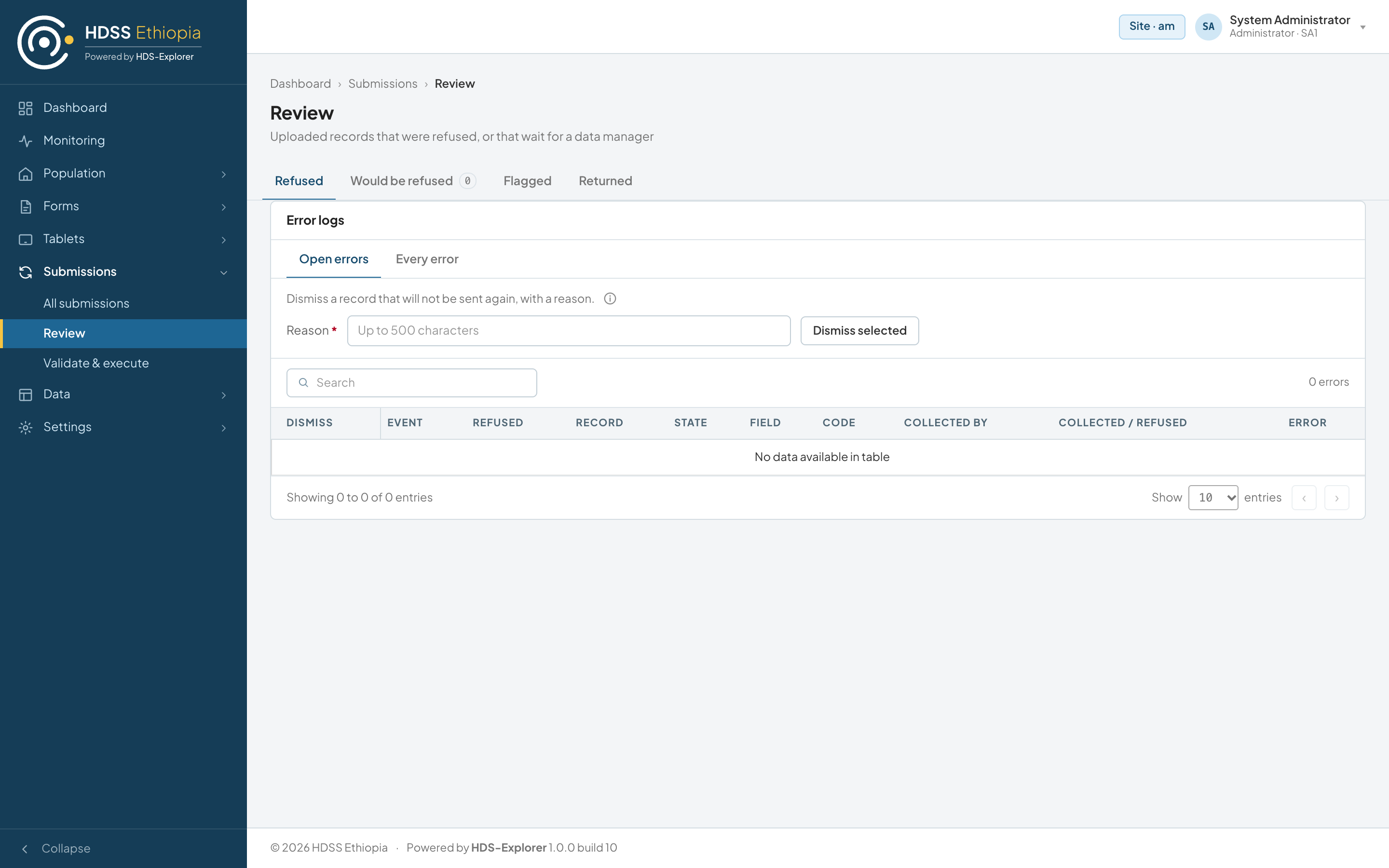
Tabs
| Name | Description |
|---|---|
| Refused | The records refused when they were uploaded or executed, as Error logs. Show Open errors or Every error. |
| Would be refused | The waiting records that the last validation found would be refused, with Why it would be refused. Return them to the collector before a run refuses them. |
| Flagged | Records held back by a flag, such as Too fast or Clock wrong, with their Flags and whether they are Approved. |
| Returned | Records returned to their collector, waiting for the corrected copy, with Returned by and Returned. |
Columns of the rejected submissions
| Name | Description |
|---|---|
| Dismiss | Ticks the record to dismiss. |
| Event | The kind of record. Click it to open the record and correct it. |
| Refused | The run that refused it. |
| Record | The record's identifier. |
| State | The state of the error. Click it to see the record's error history. |
| Field | The field the error concerns. |
| Code | The ID the record names. |
| Collected by | The fieldworker who collected it. |
| Collected / refused | When it was collected and when it was refused. |
| Error | The message of the validation rule that refused it. |
Refused add-on records are listed below, under Add-on forms, with Repair.
Actions
| Action | Description |
|---|---|
| Save & reprocess (on an opened record) | Saves the correction and puts the record back for the next run. |
| Dismiss selected | Closes the ticked errors of records that will not be sent again. A Reason is required. |
| Repair | Opens a refused add-on record to correct and replay it. |
| Approve | Lets a flagged record go into the register at the next run. |
| Execute now | Runs the approved flagged records now. |
| Return with a note | Sends the record back to the collector's tablet with a Note to the collector. The tablet reopens it at the next synchronization. |
| Exclude | Takes a record out for good, with Why it is excluded. Undo exclusion puts it back. |
| Refuse | Refuses a waiting record, with Why it is refused. |
| Open | Shows the record as uploaded. |
Validate & execute
Moves the staged submissions into the register. Every record is validated first, as if the ones before it had gone in; only those that pass go in.
Location: Submissions › Validate & execute
Available to: Administrator, Data manager
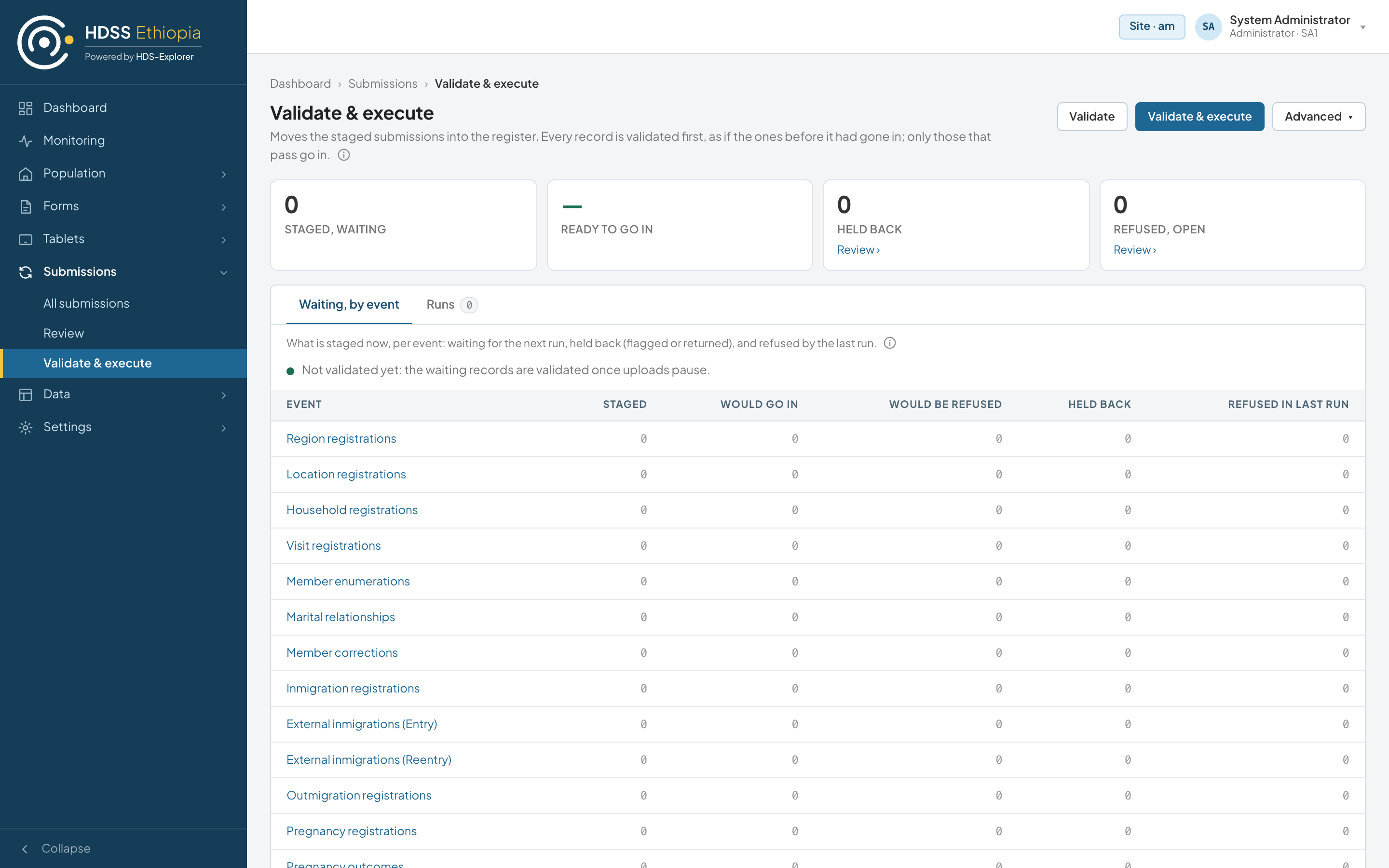
Tiles
| Name | Description |
|---|---|
| Staged, waiting | Records waiting for a run. |
| Ready to go in | Records the last validation found would go in. |
| Held back | Records flagged or returned. Review › opens them. |
| Refused, open | Refused records with an open error. Review › opens them. |
Tabs and columns
| Name | Description |
|---|---|
| Waiting, by event | For each kind of record: Staged, Would go in, Would be refused, Held back and Refused in last run. Click an event to see its staged records. |
| Runs | Each run: Run, Action, Started, By, Took and Result. Filter by Action, Started by, dates and With refused records. |
Actions
| Action | Description |
|---|---|
| Validate | Checks the waiting records without writing to the register. |
| Validate & execute | Checks the waiting records and writes those that pass into the register. |
| Advanced › Validate & execute, with a limit | Runs a limited number of records, for a large backlog. |
| Advanced › Build the queue only | Orders the records without running them. |
| Advanced › Execute the queue | Runs the queue as it was built. |
| Advanced › Retry refused records | Puts rejected submissions back in the queue. |
When records are validated and executed is set by When data is uploaded on System: records can wait for a run, be validated after uploads pause, or go into the register as they arrive.