Forms
The Forms screens: the forms, the Form Builder, release packs and option lists.
The roles listed under Available to are the default roles. An administrator can change them on Permissions.
Forms
Every questionnaire the server collects: the core events, the core observations and the add-on forms.
Location: Forms › Forms
Available to: Administrator, Data manager
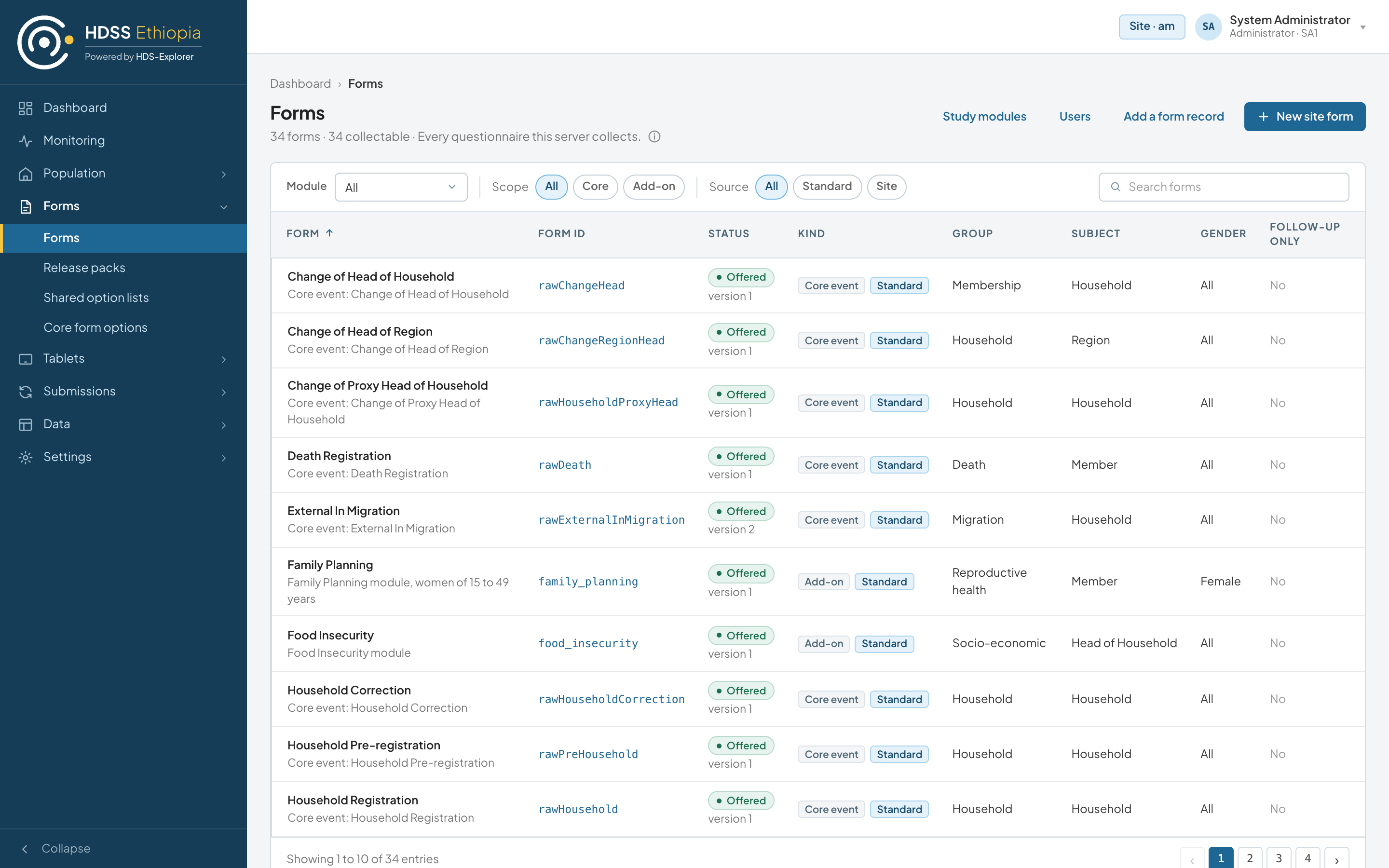
Columns
| Name | Description |
|---|---|
| Form | The form's name and kind. Click it to open the form in the Form Builder. |
| Form ID | The form's identifier. Click it to open the form's details. |
| Status | Whether the form is offered on the tablets, and its active version. |
| Kind | Core event, core observation or add-on, with Standard or Site source. |
| Group | The group the form is listed under. |
| Subject | Who the form is asked of: an area, a household or an individual. |
| Gender | The sex the form is limited to, if any. |
| Follow-up only | Whether the form is offered only through a follow-up list. |
Filters
| Name | Description |
|---|---|
| Module | The forms of one study module. |
| Scope | All, Core or Add-on. |
| Source | All, Standard (arrives in a release pack) or Site (made at this site). |
Actions
| Action | Description |
|---|---|
| New site form | Starts a new add-on form in the Form Builder. |
| Add a form record | Adds a form record without building the form. |
| Study modules | Opens Study modules. |
| Users | Opens Users. |
Form Builder
A form's details, questions, versions and translations, page by page as the tablet shows them. Open it by clicking a form's name on Forms.
Location: Forms › Forms › a form
Available to: Administrator, Data manager
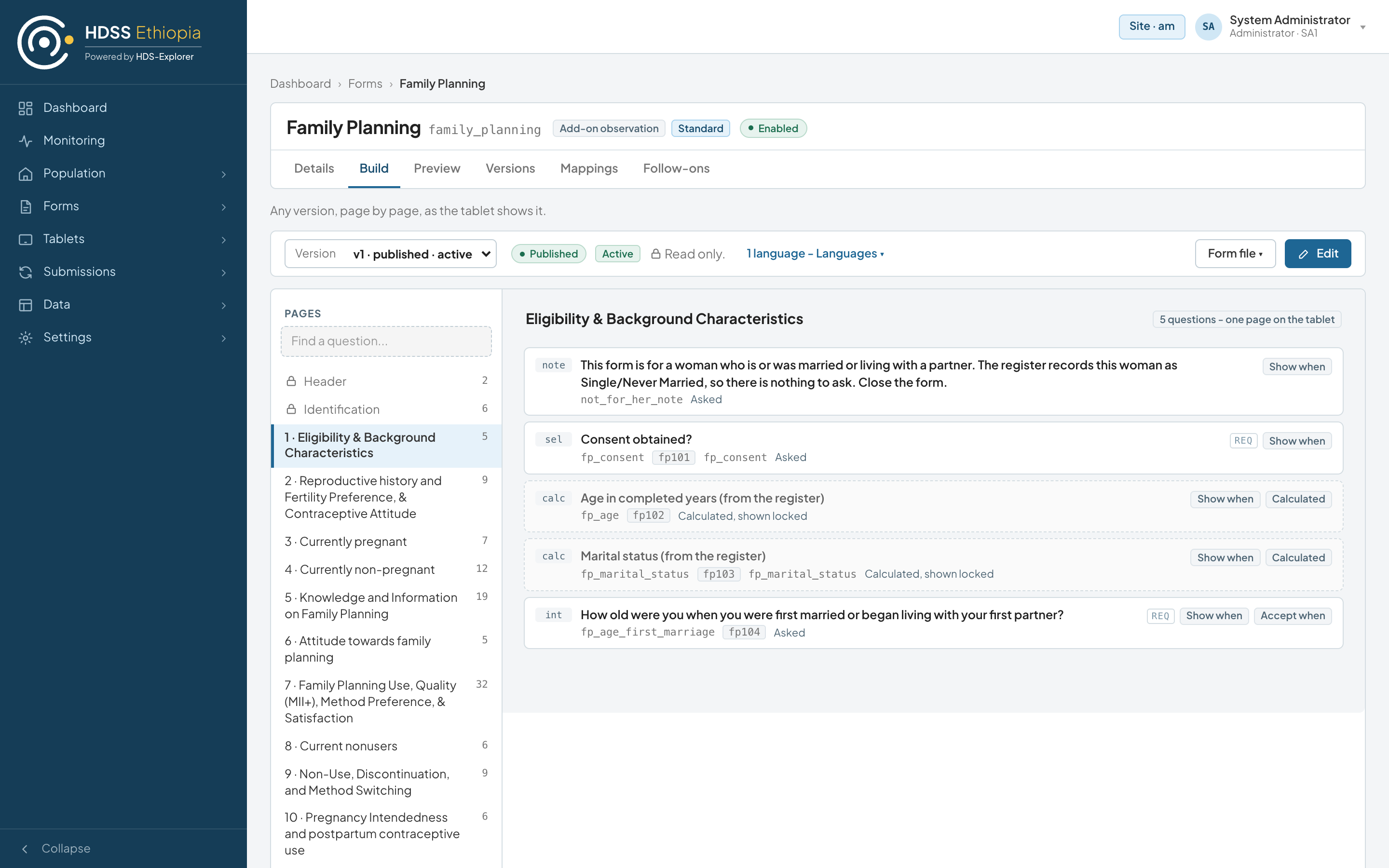
Tabs
| Name | Description |
|---|---|
| Details | The form's details (form ID, name, group, who it is asked of, age band, sex, module, whether it is required per visit or used at baseline) and the settings of the version shown. Edit details changes the form record. |
| Build | Any version, page by page, with each question's type, name, rules and option list. A published version is read only. |
| Preview | Runs the version, or unsaved edits, page by page as the tablet runs it, for an example subject. Nothing is saved. Save as test case keeps a set of answers to run again. |
| Versions | Every version of the form, with its status, checksum and actions. Click a version number to read it in Build. |
| Mappings | Where the form's preloaded answers are read from. |
| Follow-ons | Which forms open after this one is finished, and which forms this one follows. |
Actions
| Action | Description |
|---|---|
| Edit | Opens the form for changes; click a question to change it. A retired version is not edited. |
| Form file | Downloads the version as an .xlsx form file, or imports a form file edited outside the builder as the form's draft. |
| Languages | Chooses the languages shown next to each question. |
| Translations | Every text of the form in each of its languages, side by side. |
| Form name | The name the tablet shows for the form. |
Standard forms are edited on the authoring server. At a site, the site's own questions are added between the standard ones, in a site copy of the form. When Publishing needs a second person's approval is on under System, a draft is published only after someone other than its author approves it.
Release packs
The standard forms travel as a release pack: exported from the server that authors them and imported at each site.
Location: Forms › Release packs
Available to: Administrator
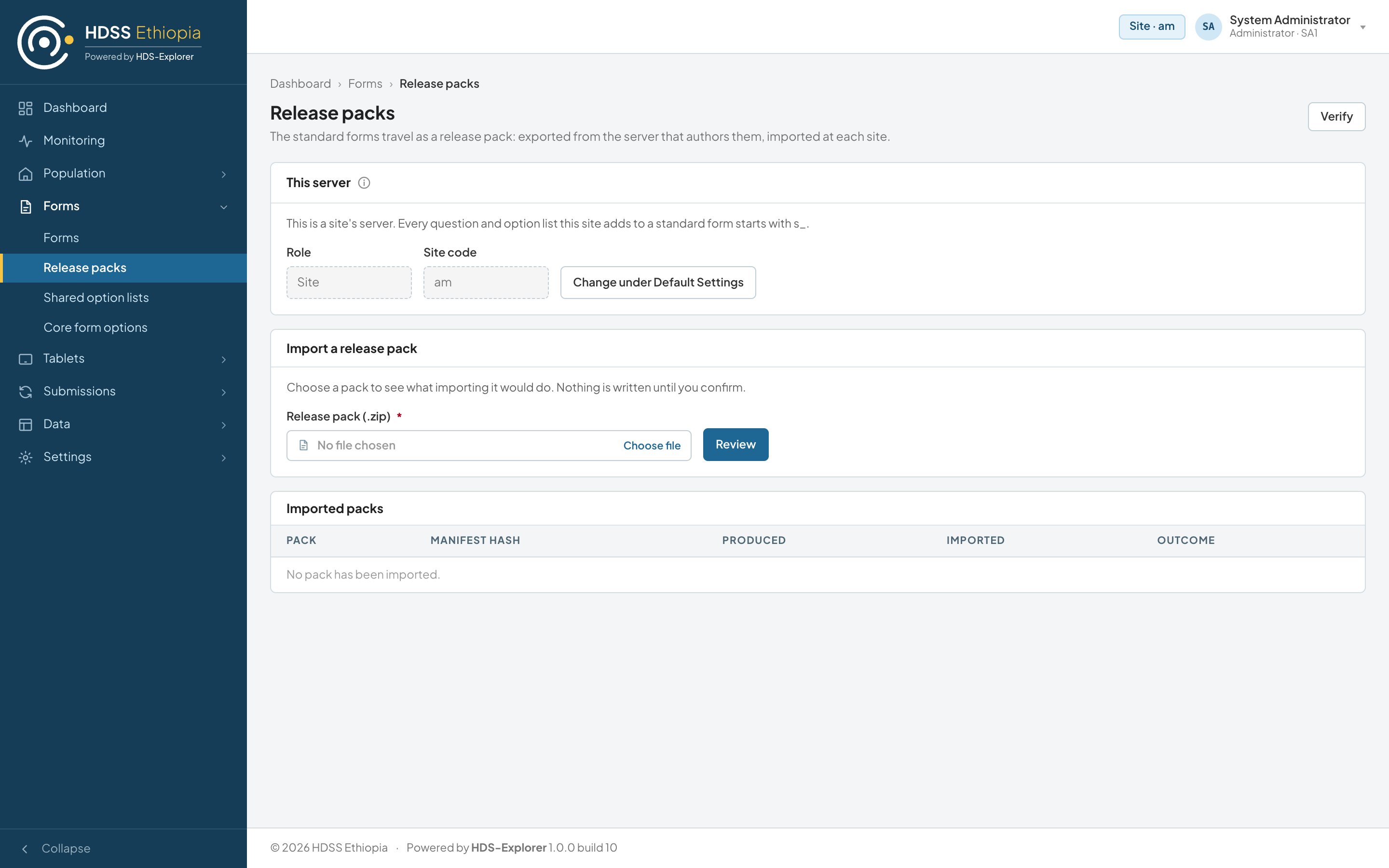
Sections
| Name | Description |
|---|---|
| This server | Role: whether this is the server that authors the standard forms or a site's server. Site code: the site's code, set on System. |
| Export a release pack | On the authoring server only: the forms in the pack, with Release name and Release number. |
| Import a release pack | On a site server: choose a Release pack (.zip) to see what importing it would do. Nothing is written until you confirm. |
| Imported packs | Each pack imported: Pack, Manifest hash, Produced, Imported and Outcome. |
Actions
| Action | Description |
|---|---|
| Review | Reads the chosen pack and lists what happens to each form. Import on the review page imports it. |
| Export | Builds the release pack (authoring server only). |
| Verify | Checks that the forms on this server still match the pack they came from. |
| Change under Default Settings | Opens System, where the site code is set. |
Shared option lists
Option lists kept once on the server, which the Form Builder copies into forms.
Location: Forms › Shared option lists
Available to: Administrator, Data manager
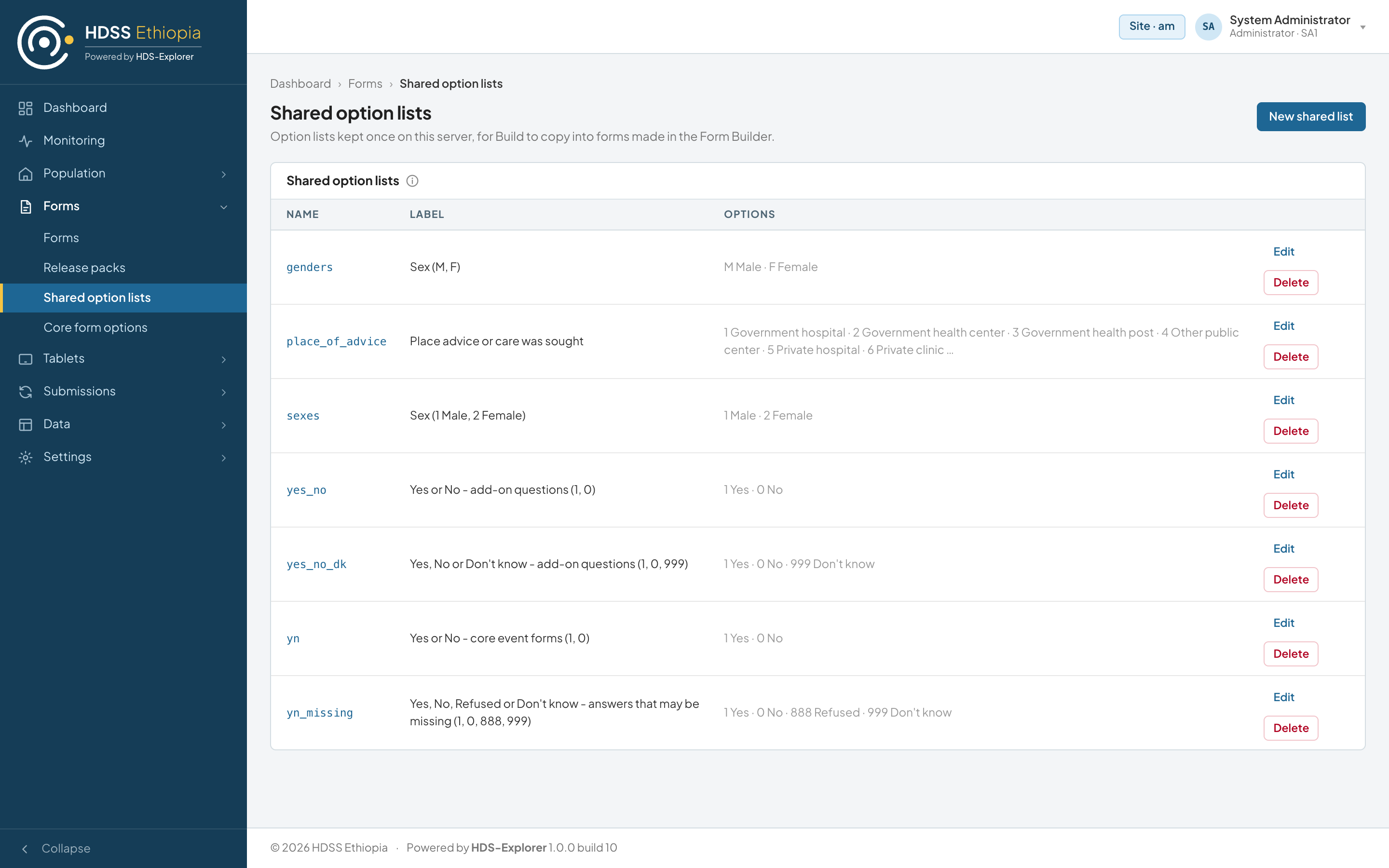
Columns
| Name | Description |
|---|---|
| Name | The list's name, as a form refers to it. |
| Label | A description of the list. |
| Options | The values and labels of the list. |
Actions
| Action | Description |
|---|---|
| New shared list | Adds a list. |
| Edit | Changes a list's options. Forms that already copied the list keep their copy. |
| Delete | Deletes a list. |
Core form options
The choices offered by the forms built into the server, such as Visit, Death and Migration.
Location: Forms › Core form options
Available to: Administrator, Data manager
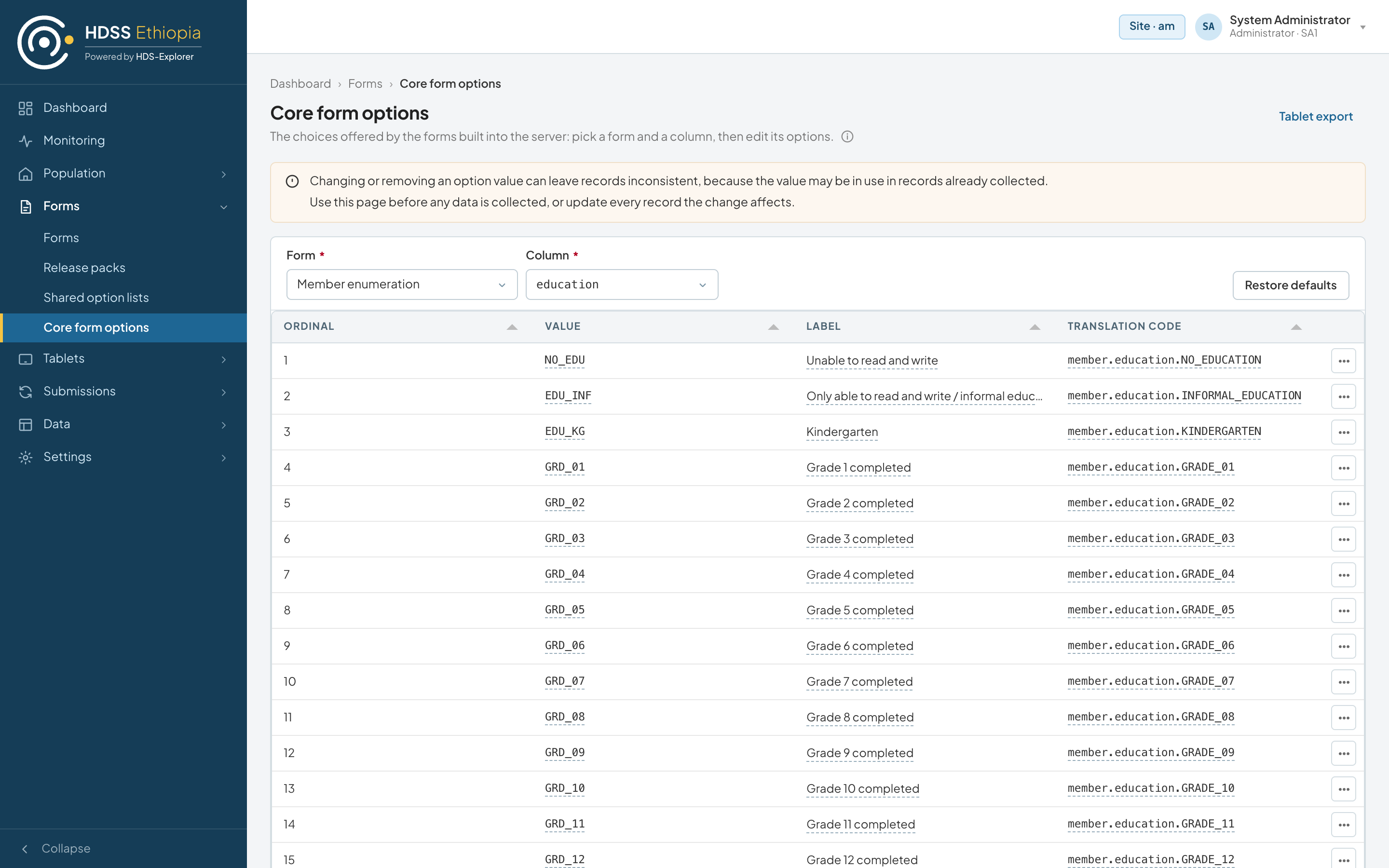
Warning
Changing or removing an option value can leave records inconsistent, because the value may already be in collected records. Change options before any data is collected, or update every record the change affects.
Fields and columns
| Name | Description |
|---|---|
| Form | The core form whose choices you edit. |
| Column | The question (column) of that form, for example education or religion. |
| Ordinal | The order of the option in the list. |
| Value | The code stored with a record. |
| Label | The text shown on the tablet. |
| Translation code | The key of the label's translations on Translations. |
Actions
| Action | Description |
|---|---|
| Row actions › Add new option | Adds an option to the list. |
| Row actions › Remove option | Removes the option. |
| Restore defaults | Re-inserts the default options that are missing. |
| Tablet export | Opens Tablet export. The changes reach the tablets with the next export. |