Maintenance
The Maintenance screens under Data: importing register records, reconciliation, and migrating from OpenHDS.
The roles listed under Available to are the default roles. An administrator can change them on Permissions.
Import register records
Loads the register from a CSV or Excel file. Nothing is written to the register here: the records are staged and wait for Validate & execute.
Location: Data › Maintenance › Import register records
Available to: Administrator, Data manager
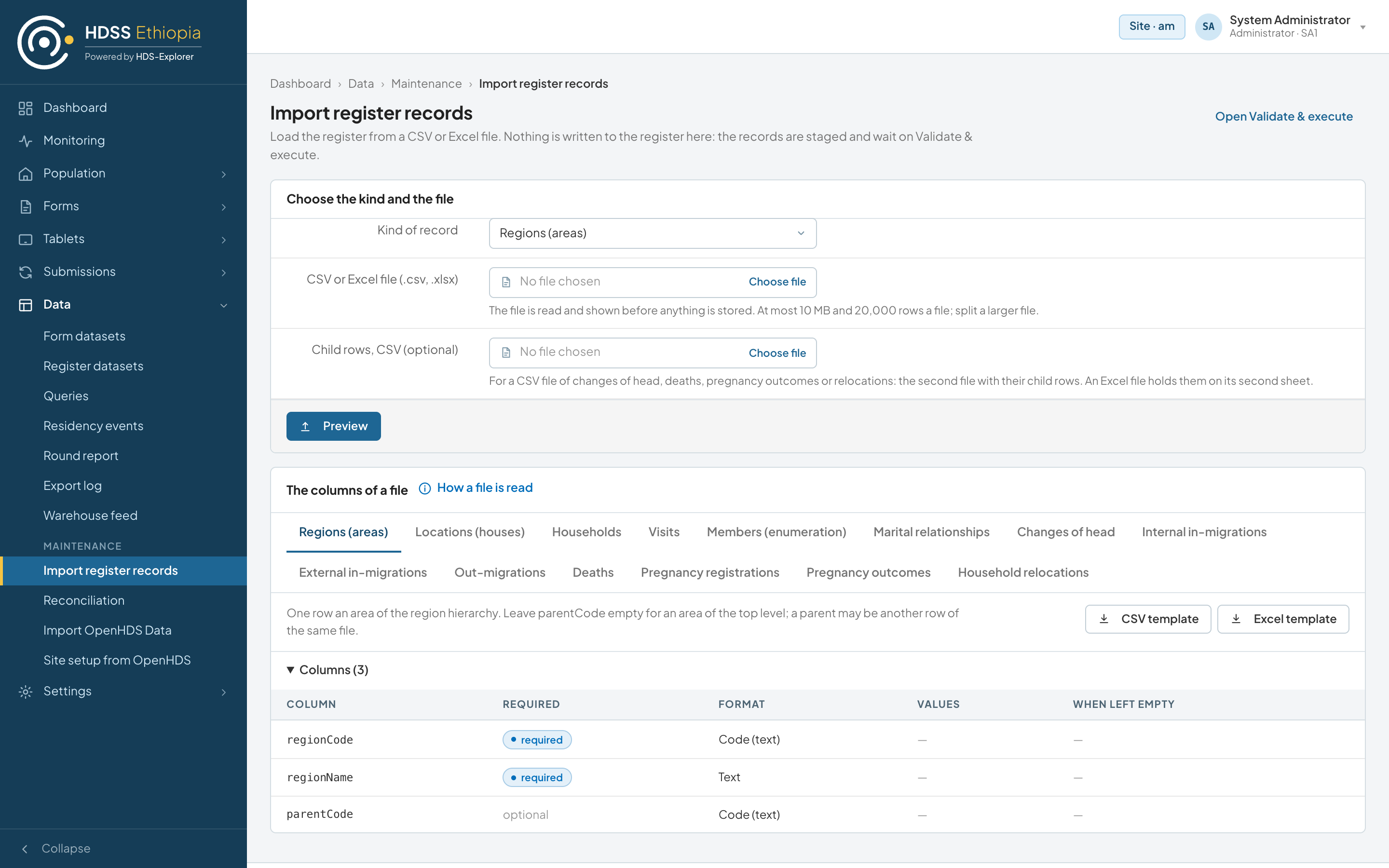
Fields
| Name | Description |
|---|---|
| Kind of record | Regions (areas), Locations (houses), Households, Visits, Members (enumeration), Marital relationships, Changes of head, Internal in-migrations, External in-migrations, Out-migrations, Deaths, Pregnancy registrations, Pregnancy outcomes or Household relocations. |
| CSV or Excel file (.csv, .xlsx) | The file to import. At most 10 MB and 20,000 rows; split a larger file. |
| Child rows, CSV (optional) | For a CSV file of changes of head, deaths, pregnancy outcomes or relocations: the second file with their child rows. An Excel file holds them on its second sheet. |
The columns of a file
Choose a kind of record to see the columns its file needs: Column, Required, Format, Values and When left empty. How a file is read explains how the file is matched to the columns.
Actions
| Action | Description |
|---|---|
| Preview | Reads the file and shows the records before anything is stored. |
| CSV template, Excel template | Downloads an empty file with the columns of the chosen kind. |
| Open Validate & execute | Opens Validate & execute, where the staged records go into the register. |
Reconciliation
Checks that each household and individual still matches its demographic events, and corrects those that do not.
Location: Data › Maintenance › Reconciliation
Available to: Administrator, Data manager
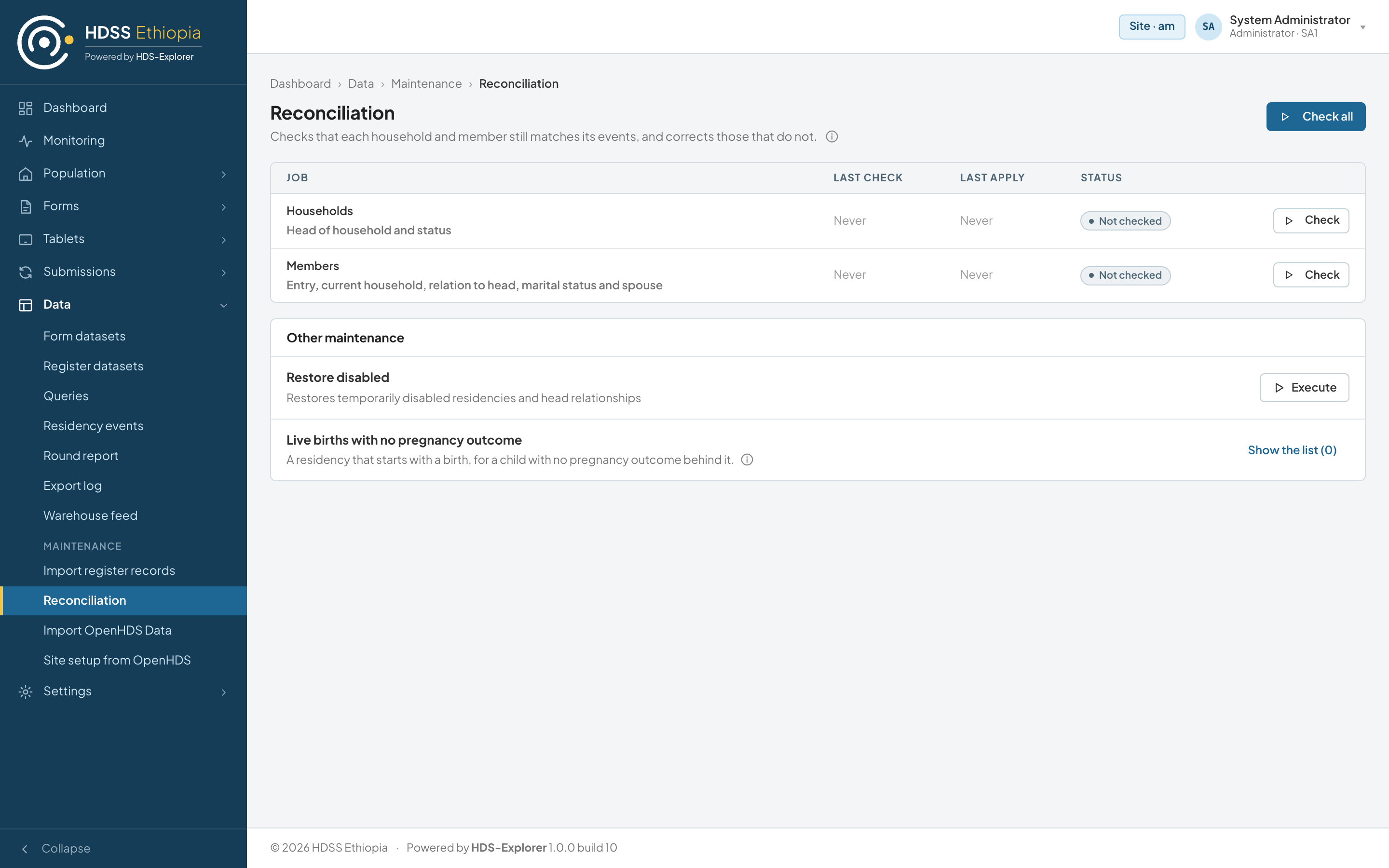
Columns
| Name | Description |
|---|---|
| Job | Households (head of household and status) or Members (entry, current household, relationship to head, marital status and spouse). Click it to see the job's report. |
| Last check | When the job last checked the register. |
| Last apply | When the job last applied its corrections. |
| Status | The result of the last check, for example Not checked. |
Actions
| Action | Description |
|---|---|
| Check | Checks one job and lists what it would correct. |
| Check all | Checks both jobs. |
| Restore disabled › Execute | Restores residencies and head relationships that were temporarily disabled. |
| Live births with no pregnancy outcome › Show the list | Lists the residencies that start with a birth for a child with no pregnancy outcome behind it. |
Import OpenHDS Data
Moves the core tables of an OpenHDS database into this register, with validation and rollback. The screen's title is OpenHDS migration.
Location: Data › Maintenance › Import OpenHDS Data
Available to: Administrator
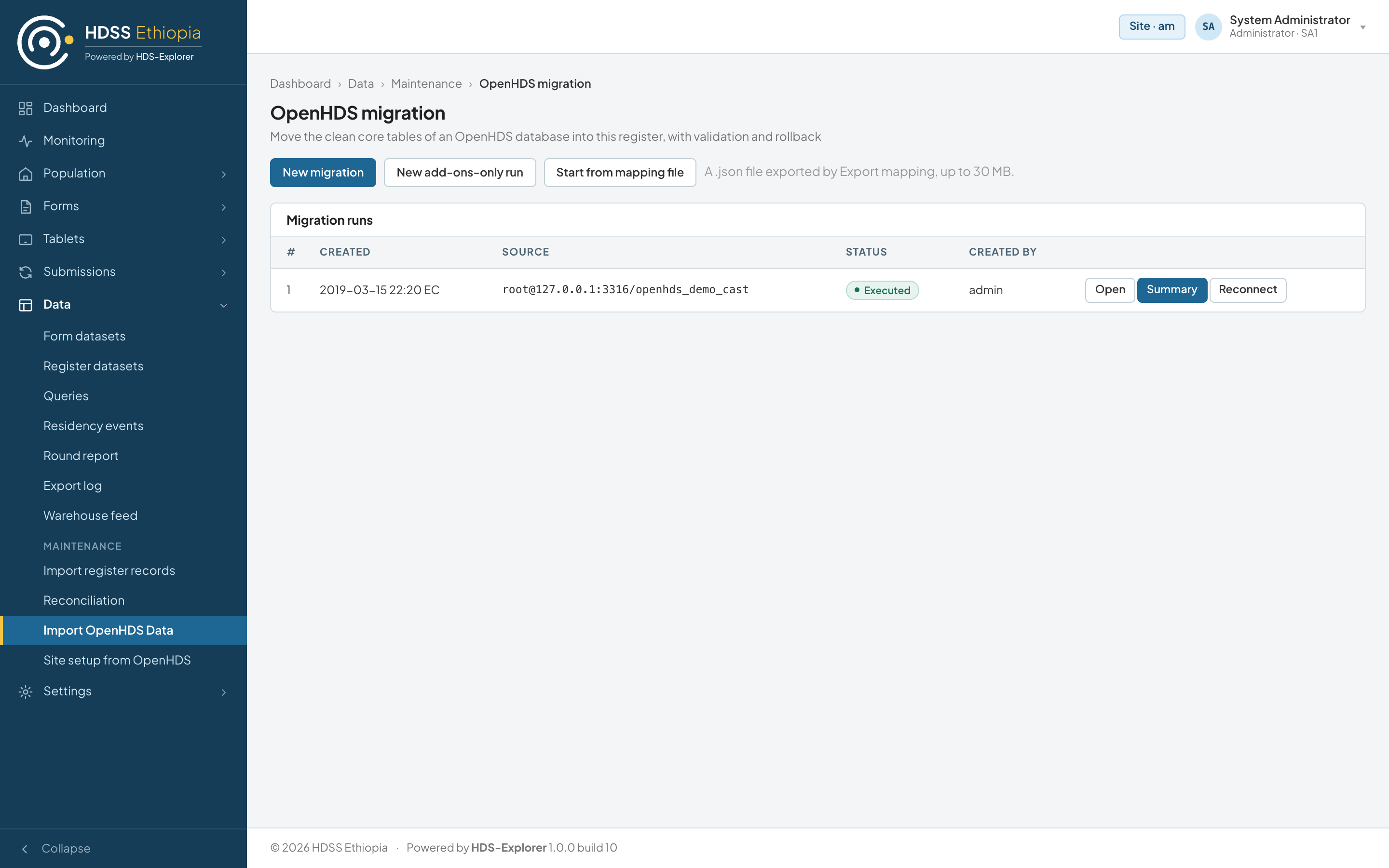
Columns
| Name | Description |
|---|---|
| # | The run number. |
| Created | When the run was started. |
| Source | The OpenHDS database the run reads. |
| Status | Where the run is, for example Executed. |
| Created by | Who started the run. |
Actions
| Action | Description |
|---|---|
| New migration | Starts a migration run, beginning with the readiness checks. |
| New add-ons-only run | Starts a run that brings only the add-on data. |
| Start from mapping file | Starts a run from a .json mapping file exported by Export mapping in an earlier run, up to 30 MB. |
| Open | Opens a run at its mapping of the source data. |
| Summary | Shows the summary of a run: what it read, checked and moved. |
| Reconnect | Connects a run to its source database again. |
Site setup from OpenHDS
Compares this site with an OpenHDS database before a migration, and creates the area levels, areas and users that are missing. This screen does not start a migration.
Location: Data › Maintenance › Site setup from OpenHDS
Available to: Administrator
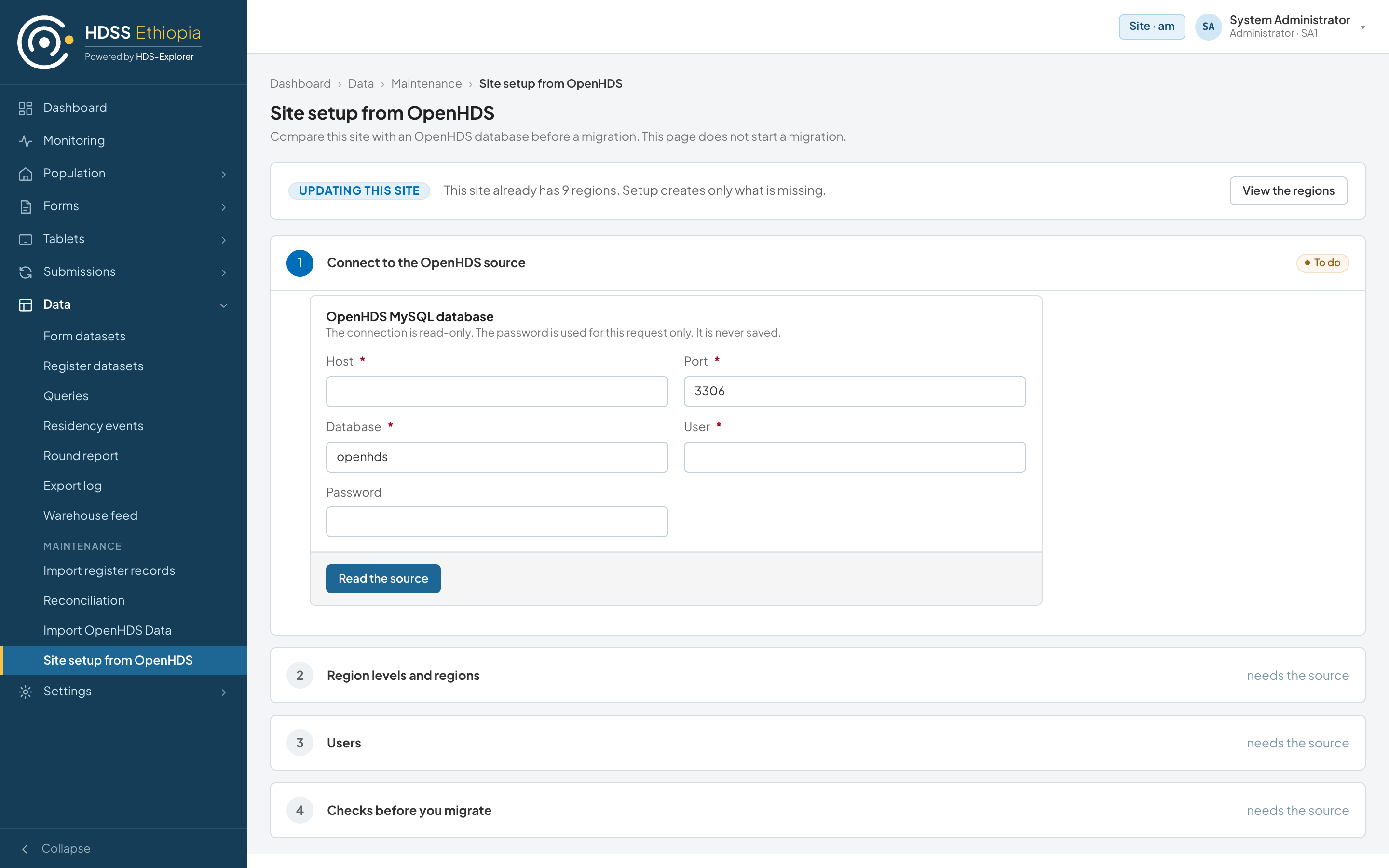
Steps
| Name | Description |
|---|---|
| 1 Connect to the OpenHDS source | The Host, Port, Database, User and Password of the OpenHDS MySQL database. The connection is read-only, and the password is used for this request only; it is never saved. |
| 2 Region levels and regions | The area levels and areas of the source, against this site's. |
| 3 Users | The fieldworkers and other users of the source. |
| 4 Checks before you migrate | What must be fixed before the migration. |
When the site already has areas, the screen says so and creates only what is missing.
Actions
| Action | Description |
|---|---|
| Read the source | Connects to the database and fills in steps 2 to 4. |
| View the regions | Opens Regions. |