Population
The Population screens: the register of households, locations, individuals, areas and rounds.
The roles listed under Available to are the default roles. An administrator can change them on Permissions. Dates show in the calendar chosen on System; EC marks a date in the Ethiopian calendar.
Households
Every household registered through the tablet.
Location: Population › Households
Available to: Administrator, Data manager. A supervisor can open a household's page from a link elsewhere in the console.
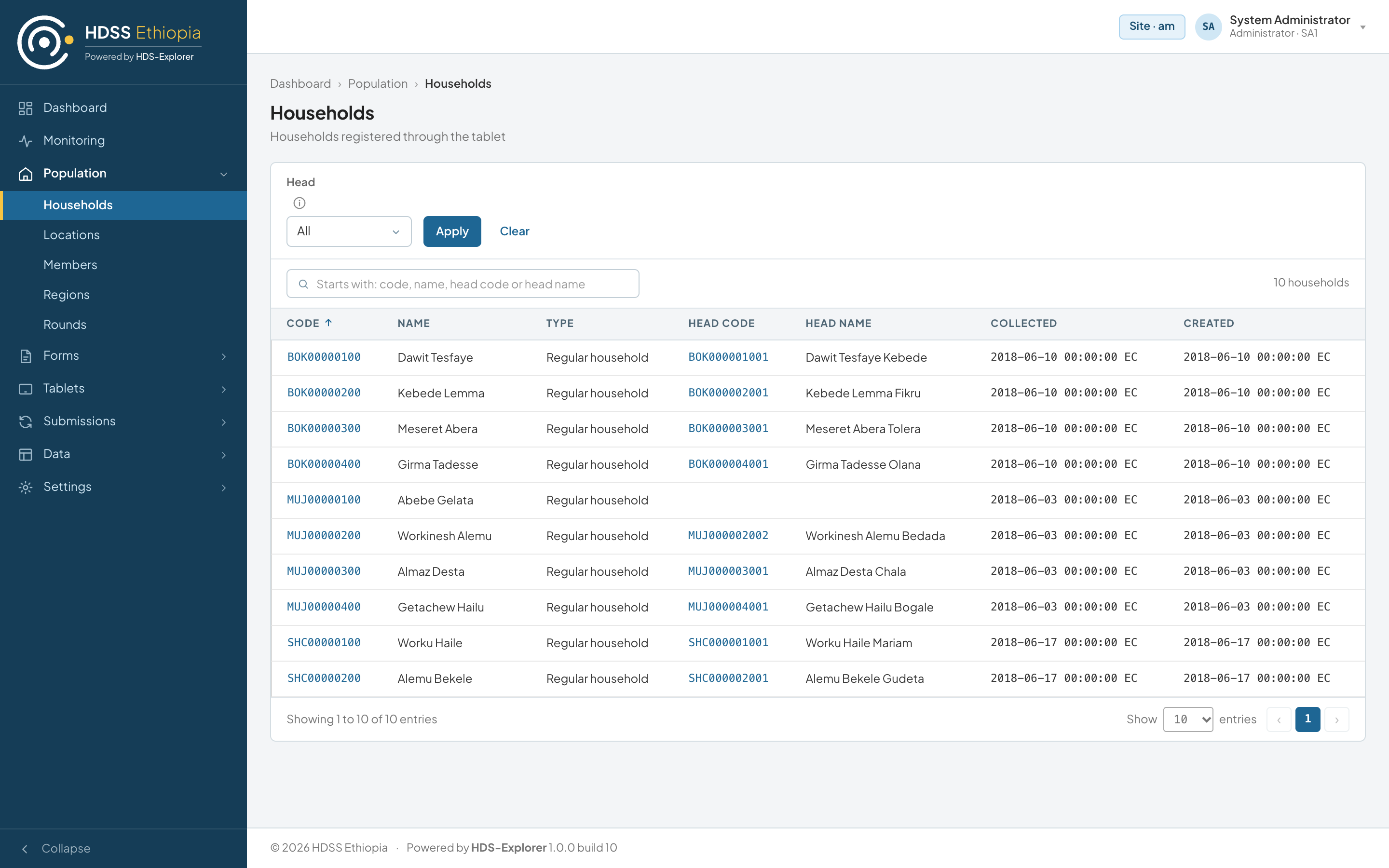
Columns
| Name | Description |
|---|---|
| Code | The household ID. Click it to open the household's page. |
| Name | The household name, usually the name of the head of household. |
| Type | The type of household, for example Regular household. |
| Head code, Head name | The ID and name of the head of household. Empty when the household has no head. |
| Collected | When the household was registered on the tablet. |
| Created | When the record reached the server. |
Filters and actions
| Action | Description |
|---|---|
| Head | All, or No head to list households without a head of household. Apply filters the list; Clear removes the filter. |
| Column heading | Sorts the list by that column. |
| Show … entries | Chooses how many rows a page shows. |
Household page
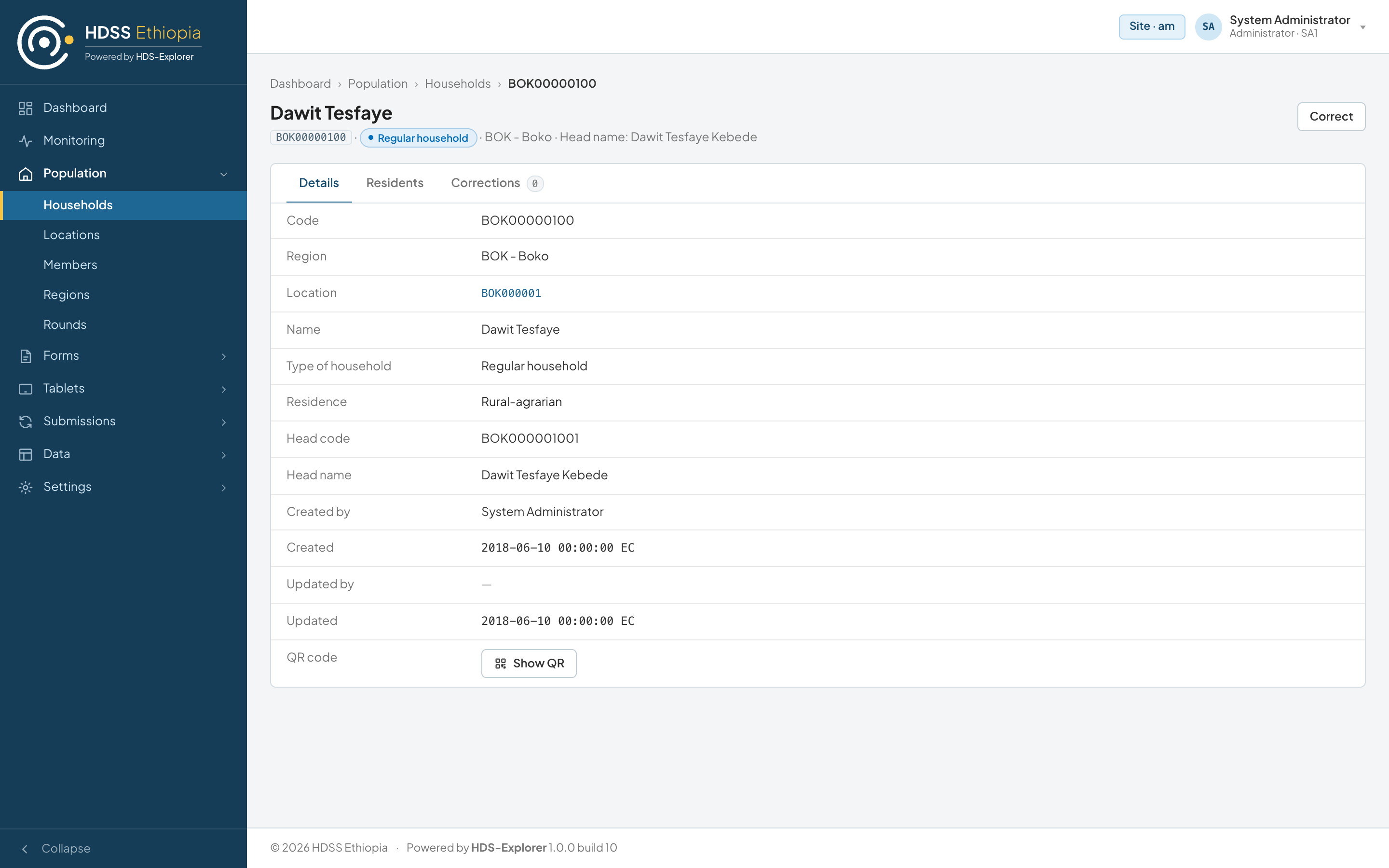
The household's page has the tabs Details, Residents and Corrections. Details shows the code, name, type, head, location, area and the household's QR code.
| Action | Description |
|---|---|
| Correct | Corrects the household's details. The reason and the old values are kept. Administrator and Data manager. |
| Show QR | Shows the household's QR code, with Print label. See Account and labels. |
Locations
The dwellings of the site: every place a household lives in or lived in.
Location: Population › Locations
Available to: Administrator, Data manager, Supervisor (read only)
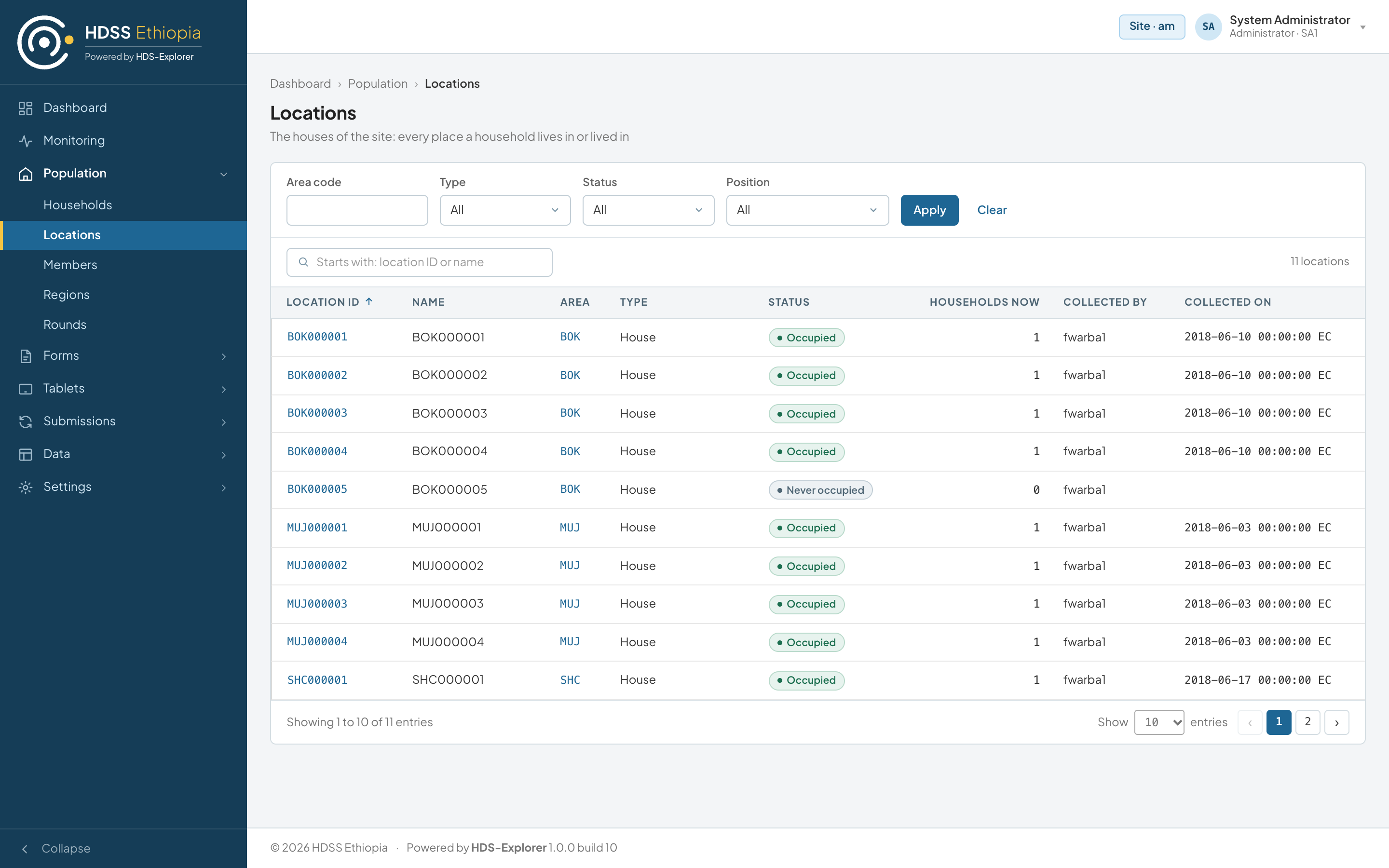
Columns
| Name | Description |
|---|---|
| Location ID | The location's ID. Click it to open the location's page. |
| Name | The location's name. |
| Area | The lowest-level area the location is in. |
| Type | House, Compound, Flat in a building, Institution or Other. |
| Status | Occupied, Vacant, Never occupied or No longer exists. |
| Households now | The number of households living in the location now. |
| Collected by, Collected on | The fieldworker who registered the location, and when. |
Filters
| Name | Description |
|---|---|
| Area code | The locations of one area. |
| Type | One type of location. |
| Status | One status. |
| Position | No position recorded or Position recorded: whether the location has GPS coordinates. |
Apply filters the list; Clear removes the filters.
Location page
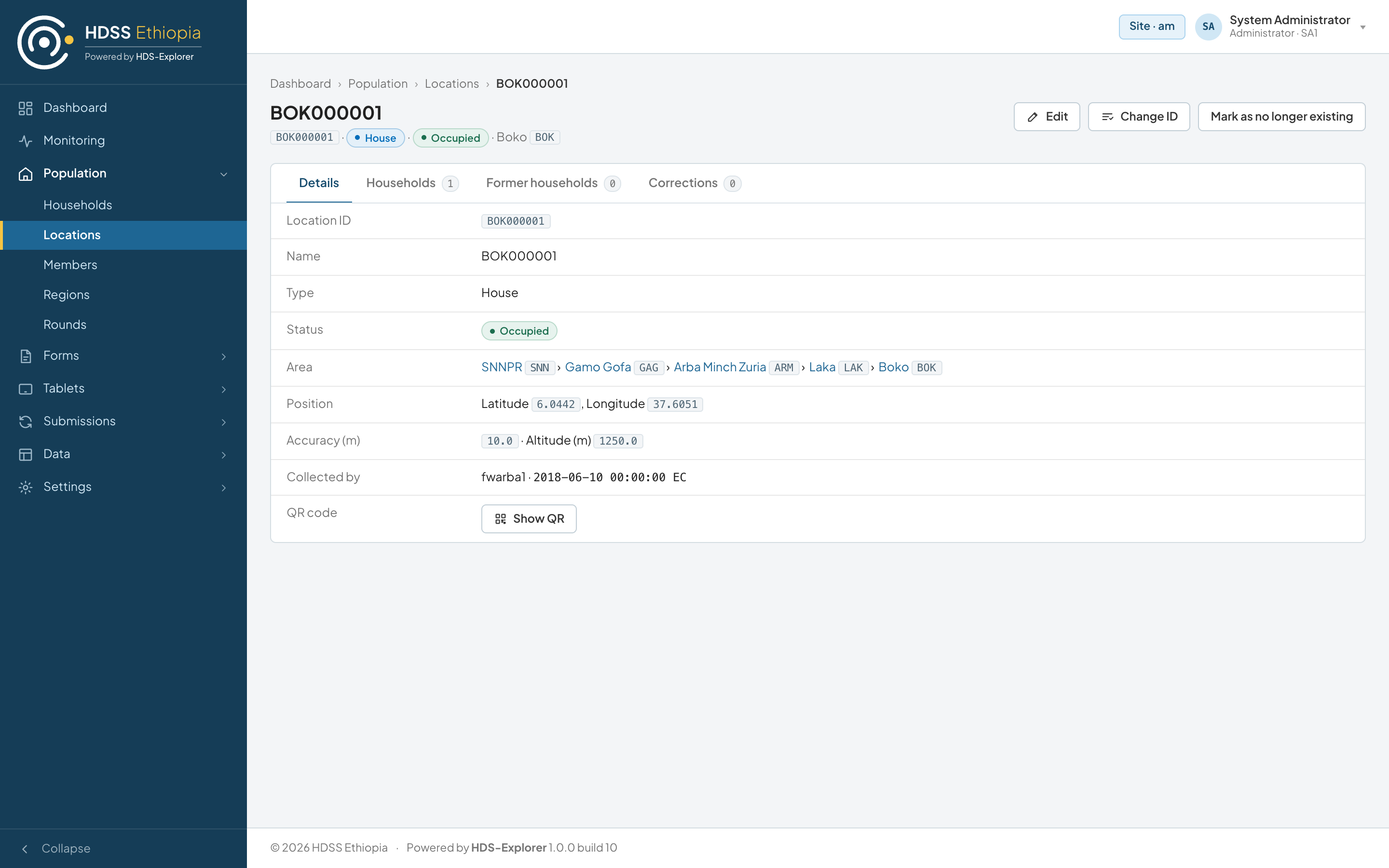
The location's page has the tabs Details, Households, Former households and Corrections. Details shows the type, status, the full chain of areas, the GPS position with its accuracy and altitude, who collected it, and the location's QR code.
| Action | Description |
|---|---|
| Edit | Changes the location's details. Administrator and Data manager. |
| Change ID | Gives the location a new ID; the IDs under it change with it. Administrator only. |
| Mark as no longer existing | Records that the dwelling no longer exists. Administrator and Data manager. |
| Show QR | Shows the location's QR code, with Print label. |
Members
Every individual registered through the tablet.
Location: Population › Members
Available to: Administrator, Data manager. A supervisor can open an individual's page from a link elsewhere in the console.
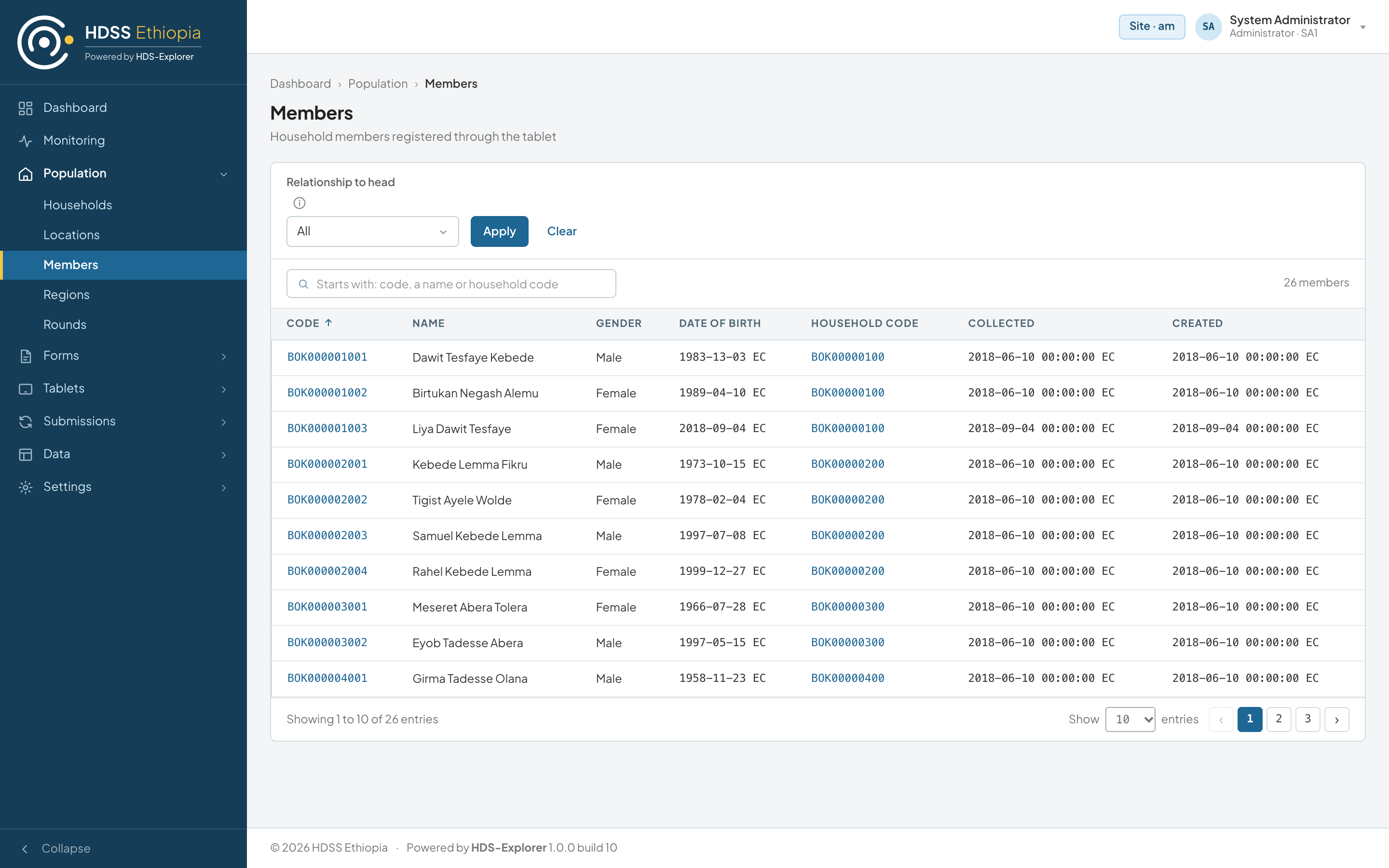
Columns
| Name | Description |
|---|---|
| Code | The individual's ID. Click it to open the individual's page. |
| Name | The individual's full name. |
| Gender | Male or Female. |
| Date of birth | The individual's date of birth. |
| Household code | The ID of the individual's current household. |
| Collected | When the individual was registered on the tablet. |
| Created | When the record reached the server. |
Filters and actions
| Action | Description |
|---|---|
| Relationship to head | All, or No relationship to head to list individuals with no relationship to their head of household. Apply filters the list; Clear removes the filter. |
| Column heading | Sorts the list by that column. |
Member page
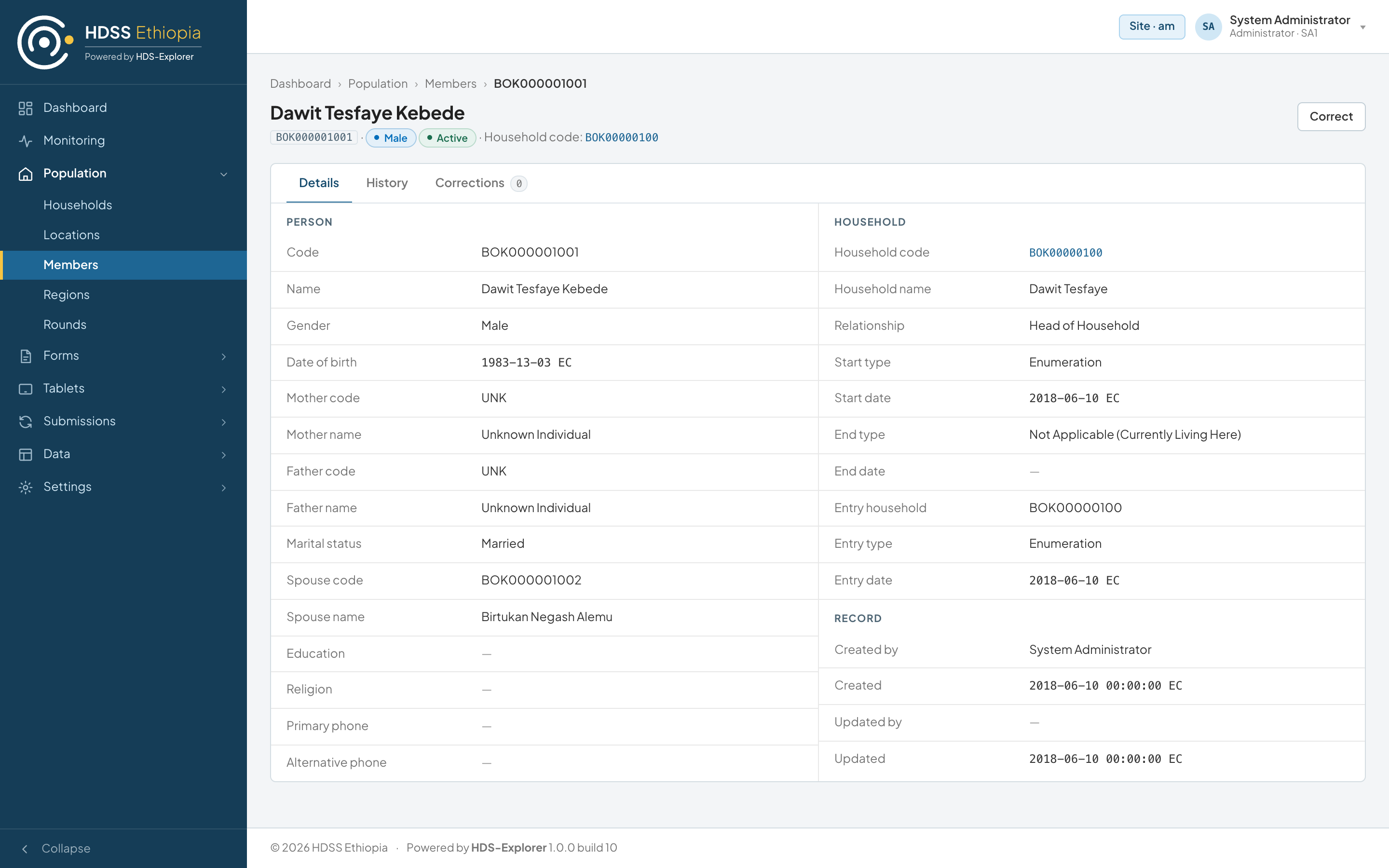
The individual's page has the tabs Details, History and Corrections. Details shows the names, sex, date of birth, parents, spouse, household, relationship to the head, marital status, education, religion, phone numbers, and the start and end of the current residency. History lists the individual's Residencies and Head relationships.
| Action | Description |
|---|---|
| Correct | Corrects the names, sex, date of birth and parents. The reason and the old values are kept. Administrator and Data manager. |
| Withdraw the … | Withdraws an accepted demographic event that never happened (for example Withdraw the death or Withdraw the birth), with the reason. Shown only when the individual has such an event. Administrator and Data manager. |
| No informant | Marks a death that has no one to answer its verbal autopsy, with the reason. Take the mark back removes the mark. Administrator and Data manager. |
Regions
The study areas at every level of the area hierarchy.
Location: Population › Regions
Available to: Administrator, Data manager, Supervisor (read only)
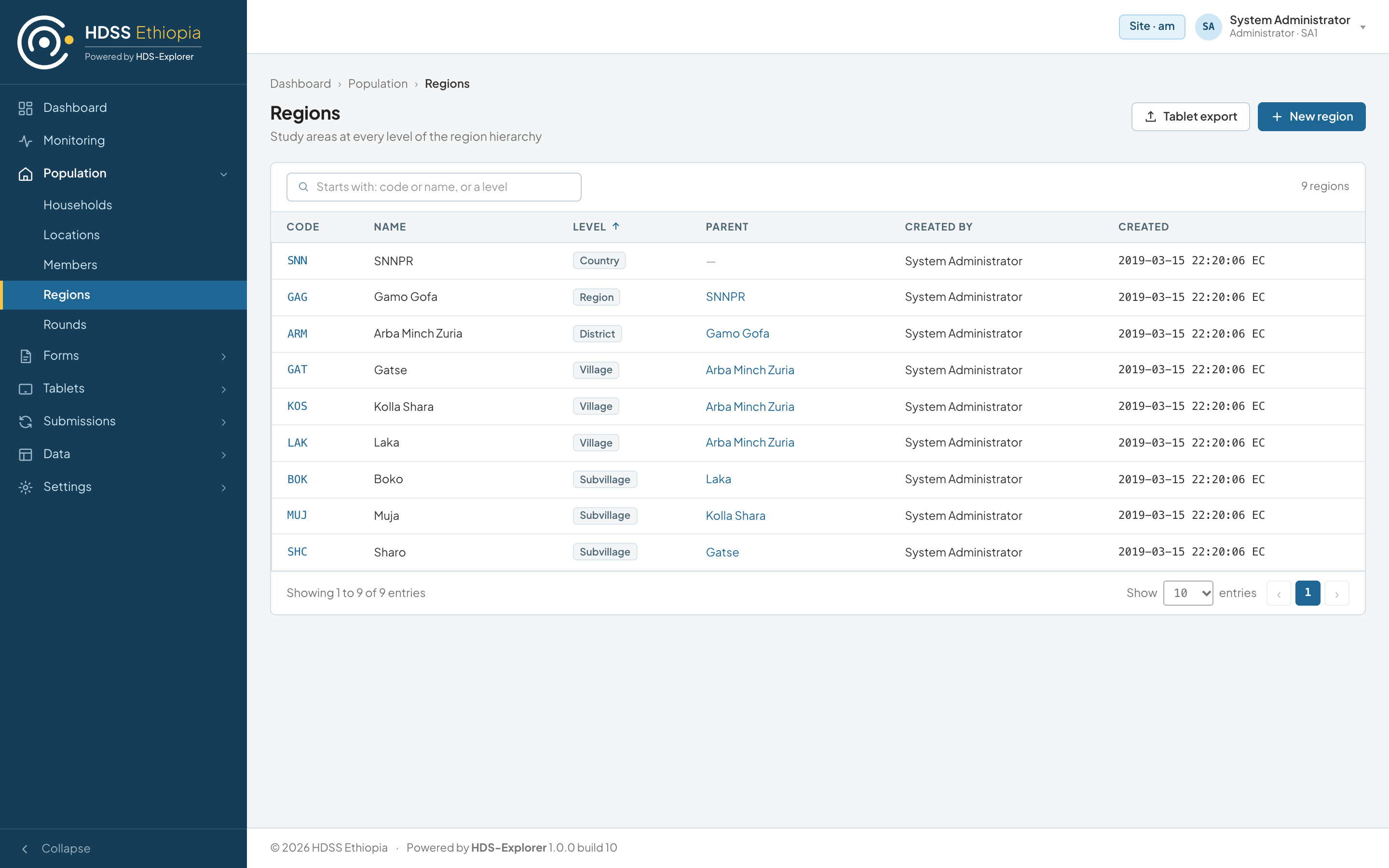
Columns
| Name | Description |
|---|---|
| Code | The area's code. Click it to open the area's page. |
| Name | The area's name. |
| Level | The area's level, named on Region levels. |
| Parent | The area one level up. |
| Created by, Created | Who created the area, and when. |
Actions
| Action | Description |
|---|---|
| New region | Adds an area. Administrator and Data manager. |
| Tablet export | Opens Tablet export, to send changed areas to the tablets. |
| Edit (area page) | Changes the area. Administrator and Data manager. |
| Delete (area page) | Deletes the area. Administrator and Data manager. |
| Print QR labels (area page) | Prints the labels of the locations or households in the area. See Account and labels. |
Rounds
The surveillance rounds and their fieldwork dates.
Location: Population › Rounds
Available to: Administrator, Data manager
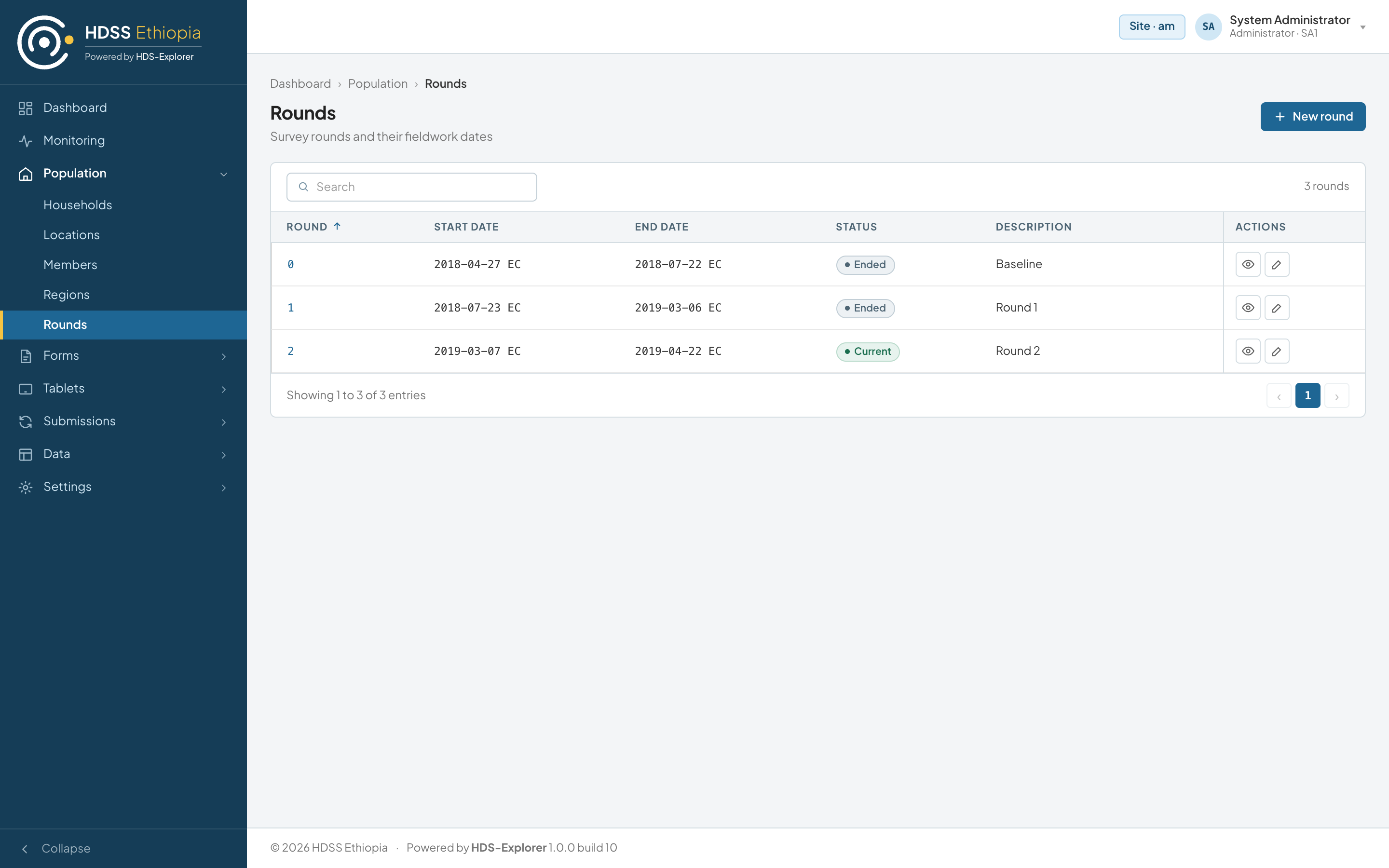
Columns
| Name | Description |
|---|---|
| Round | The round number. Round 0 is the baseline round. |
| Start date, End date | The fieldwork dates of the round. |
| Status | Current for the round running, Ended for a finished round. |
| Description | A short description, for example Baseline. |
| Actions | Opens or edits the round. |
Actions
| Action | Description |
|---|---|
| New round | Adds a round. |
| Edit | Changes a round's dates and description. |