Surveillance rounds
Create the baseline round (round 0) before the baseline enumeration starts, and each follow-up round before its fieldwork starts.
Before you begin
- Required role: Administrator or data manager
- Prerequisites: Forms and study modules are set up. You know the fieldwork dates of the round.
A round is defined only by its number and its dates. Its Status follows from the dates and today's date: Upcoming before the start date, Current between the start and end dates, and Ended after the end date. There is no button to open or close a round.
Create a round
-
Open Population › Rounds.
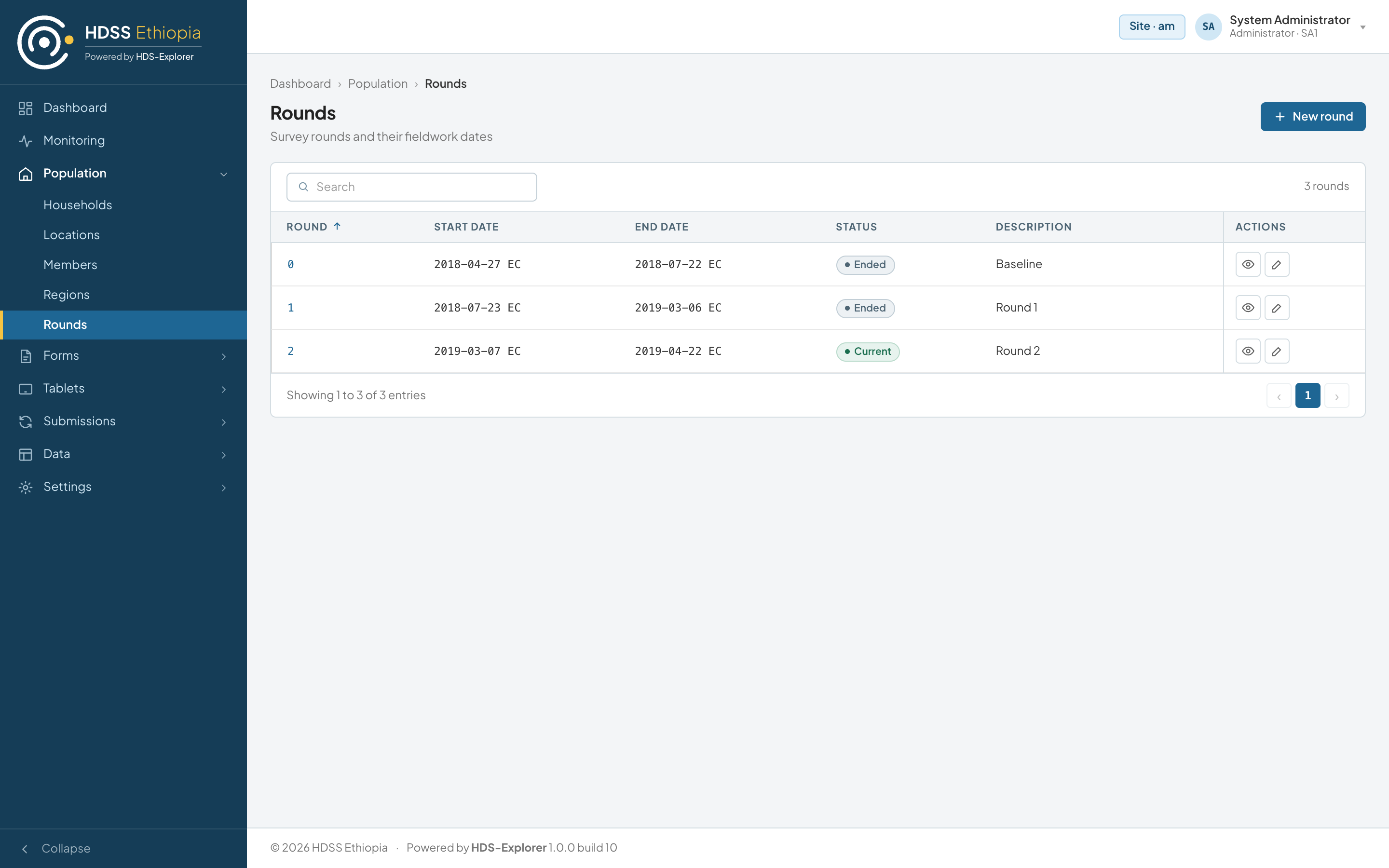
-
Select New round. The Round number is assigned automatically: 0 for the first round, then the next number.
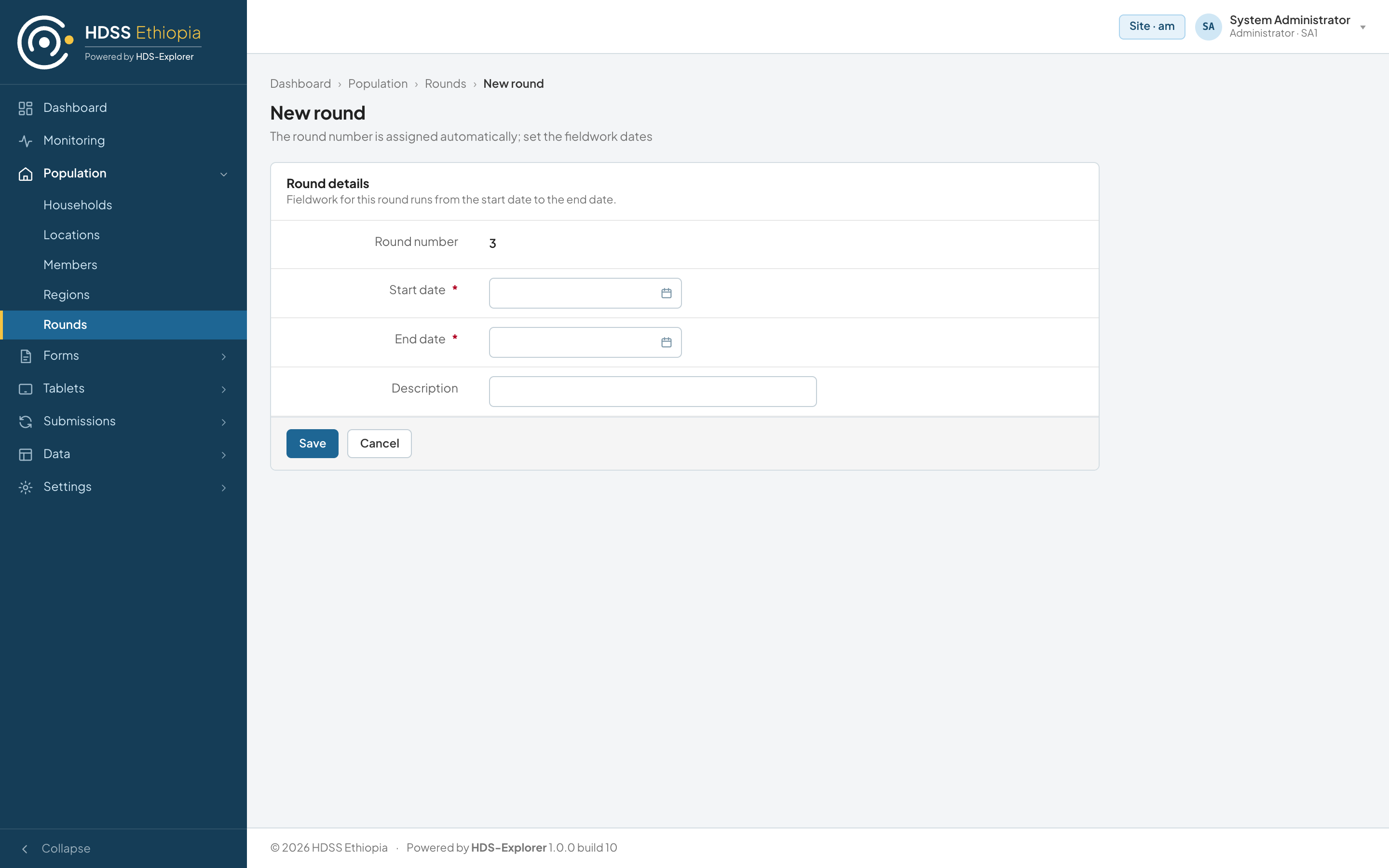
-
Choose the Start date and End date of the fieldwork, in the system calendar.
- Optionally, enter a Description, for example "Baseline" or "Round 1".
- Select Save.
The dates must follow these rules, or the round is refused with a message that names the round in the way:
- The start date is not after the end date.
- The dates do not fall inside another round, or cover another round completely.
- Round numbers and dates run in the same order: a higher-numbered round has later dates.
Recommendation: create each round only when its fieldwork is about to start, with the end date you plan. Leave no gap between rounds, so that every visit falls within a round. You can extend the end date later.
Change the dates of a round
- Open Population › Rounds and select the round.
- Select Edit, change the Start date, End date or Description, and select Save.
If visits of the round already exist, they keep their dates. When some of them fall outside the new dates, the console says how many.
Delete a round
A round can be deleted only while it has no visits; for a round with visits the Delete button is not shown. Open the round, select Delete and confirm. Deletion cannot be undone.
Result
The round appears in the Rounds list with its status. When Export after execution is on under Settings › System, the tablet export runs by itself after the change; otherwise run it from Tablets › Tablet export. Tablets receive the round at their next download.